
Upsell discounts
Give customers an automatic discount on products they add as upsells, with strikethrough prices, Buy X Get Y rules and minimums.
Last updated
Upsell discounts take money off products only when they are added as upsells, from a manual flow or an AI recommendation. The same product added with the product page's own Add to cart button stays at full price. No code is needed: the discount applies automatically and shows at checkout under the name you choose.
Upsell discounts are available on the Professional and Enterprise plans and work on every Shopify plan. The tab carries a Beta badge.
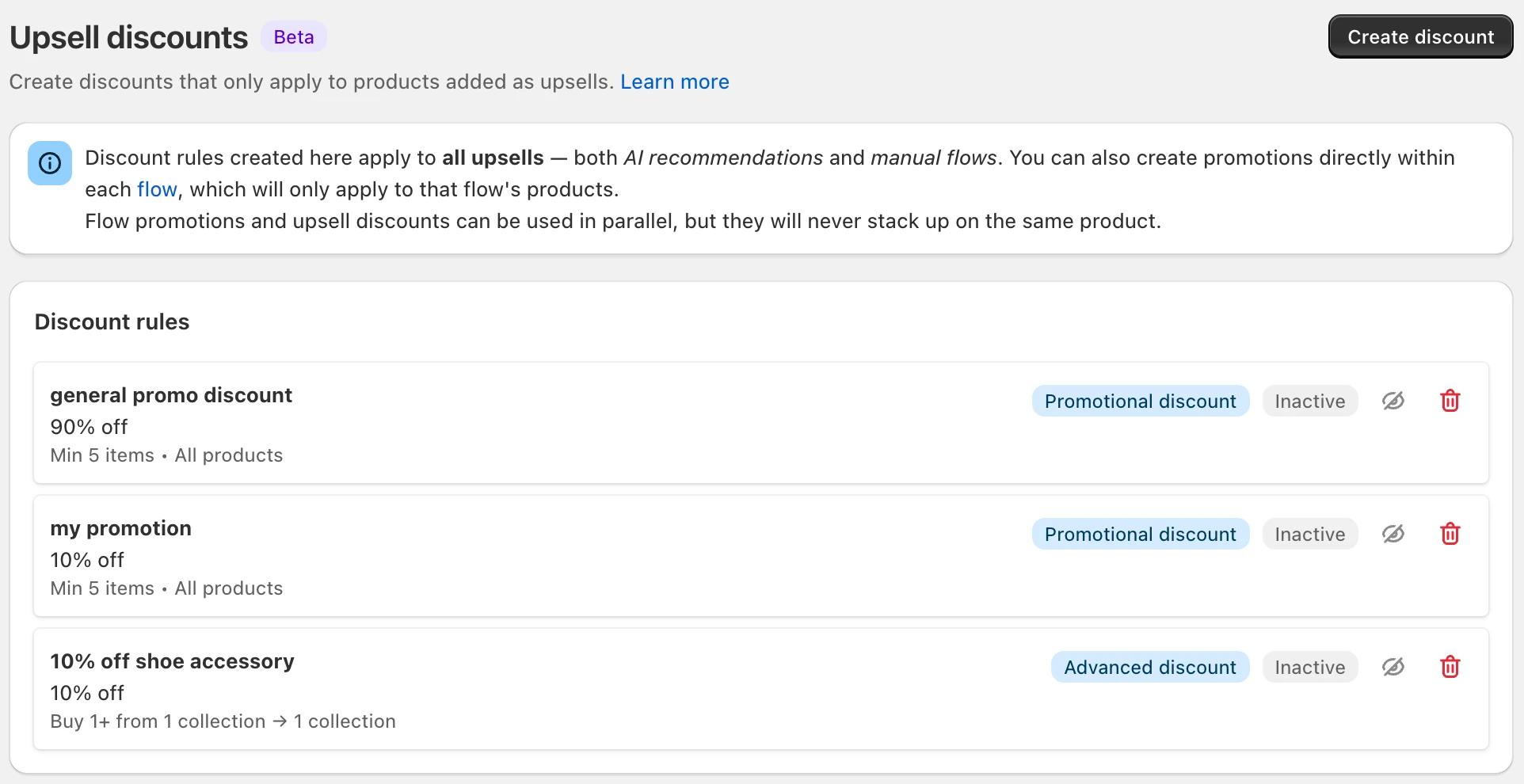
For a discount on one flow only, use a flow promotion instead. Flow promotions vs. upsell discounts compares the options.
Promotional or advanced?
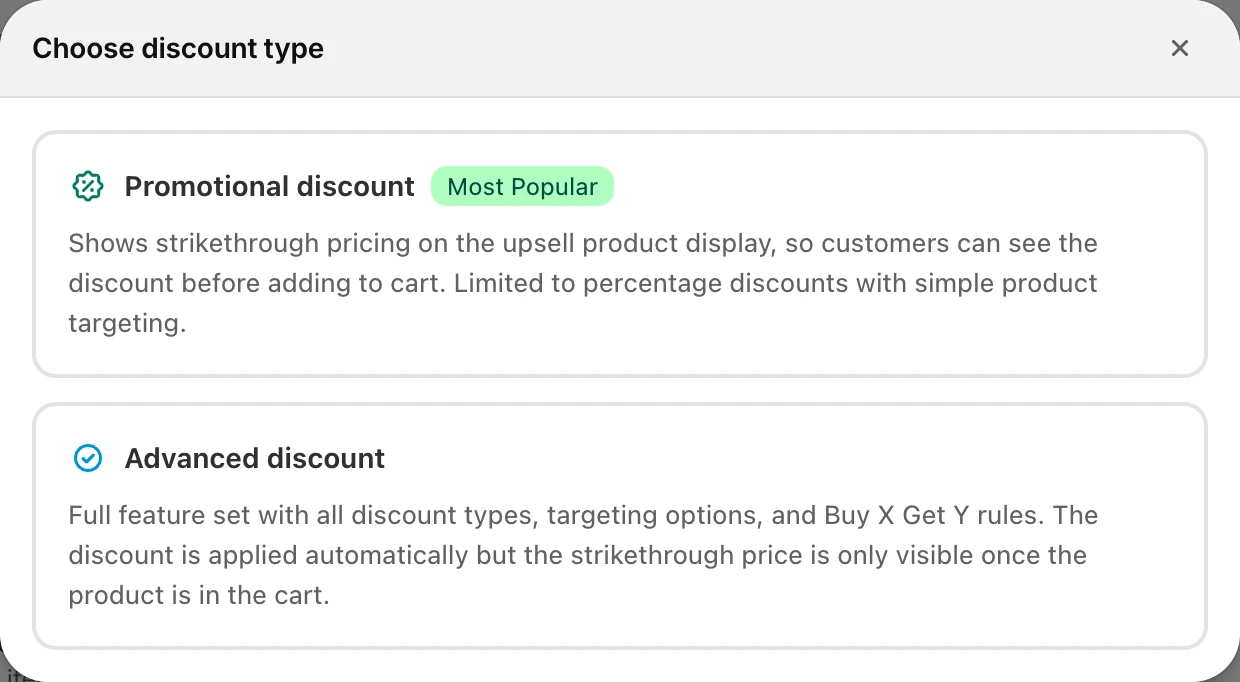
When you click Create discount, you choose a type. You can't change it later; to switch, delete the discount and create a new one.
| Promotional discount (Most Popular) | Advanced discount | |
|---|---|---|
| Strikethrough price | On the upsell card, before the customer adds it | Once the product is in the cart |
| Discount type | Percentage | Percentage or fixed amount |
| Minimum cart requirements | None or minimum quantity of items | None, minimum purchase amount or minimum quantity |
| Buy X Get Y | Specific products | Specific products or products from collections |
| Targeting | All upsell products or specific products | All upsell products, specific products or collections |
A visible saving before the click usually converts better, so start with a promotional discount unless you need something only the advanced type has.
Create an upsell discount
Open Upsell discounts
Go to UpsellsUpsell discounts and click Create discount.
Choose the type
In Choose discount type, pick Promotional discount or Advanced discount.
Basic information
Enter a Discount name. Customers see it at checkout, on the order confirmation and on invoices, for example "Upsell saving". Leave Active on.
Discount value
Enter the percentage. Advanced discounts can use a Fixed amount instead; tick Only apply discount once per order to take it off once instead of from each eligible item.
Minimum cart requirements (optional)
Pick a minimum. It counts all items in the cart, not just the upsells. Gifts, add-ons and gift cards don't count toward it.
Buy X Get Y (optional)
Tick Require specific products in cart and pick the products (or, for advanced discounts, collections) and a Minimum quantity. Products added as upsells don't count toward this.
Targeting
Choose which upsells get the discount: All upsell products, Specific products or (advanced only) Collections.
Combinations and save
Under Combinations, choose whether it combines with other Product discounts, Order discounts and Shipping discounts. Click Save.
All three combinations are on by default. If you turn them off and another discount also applies, Shopify keeps only the larger one. Even when combining is allowed, Shopify has its own limits: two product discounts can't both apply to the same product.
Buy X Get Y with a promotional discount
With a promotional discount and Require specific products in cart, the customer sees the crossed-out price on the upsell card only while one of the required products is in the cart. If they remove it, the strikethrough and the discount both go away, and the upsell stays in the cart at full price.
Manage your discounts
- Edit: click a discount in the list. Each row shows whether it is a promotional or advanced discount.
- Pause: turn off Active. Inactive discounts are not applied to upsells.
- Delete: click Delete on the edit page. This also removes the discount from Shopify and can't be undone.
- There is no limit on the number of discounts.
If you downgrade to Essentials, your upsell discounts stop applying to upsell products. The plan page warns you before you downgrade.
Examples
- Strikethrough on every upsell: promotional, 20%, targeting All upsell products.
- Accessories deal: advanced, 15%, targeting the "Accessories" collection.
- Spend more, save more: advanced, 10%, Minimum purchase amount 100, targeting all upsell products.
- Coffee bundle: advanced, fixed amount 10, Buy X Get Y with the coffee maker, targeting the "Coffee pods" collection.
Still stuck?
Chat with us and we'll help you get your cart live. Or email contact@elitecart.app.