
Bundle and product option apps
Fix bundle and product option apps in EliteCart - drawer not opening, missing bundle items, skipped required options.
Last updated
Most bundle and product option apps work with EliteCart out of the box. When one doesn't, the cause is almost always one of a few settings in Cart designerOtherAdvanced. This article matches each symptom to the setting that fixes it.
Find your symptom
| Symptom | What to change | Card in Advanced |
|---|---|---|
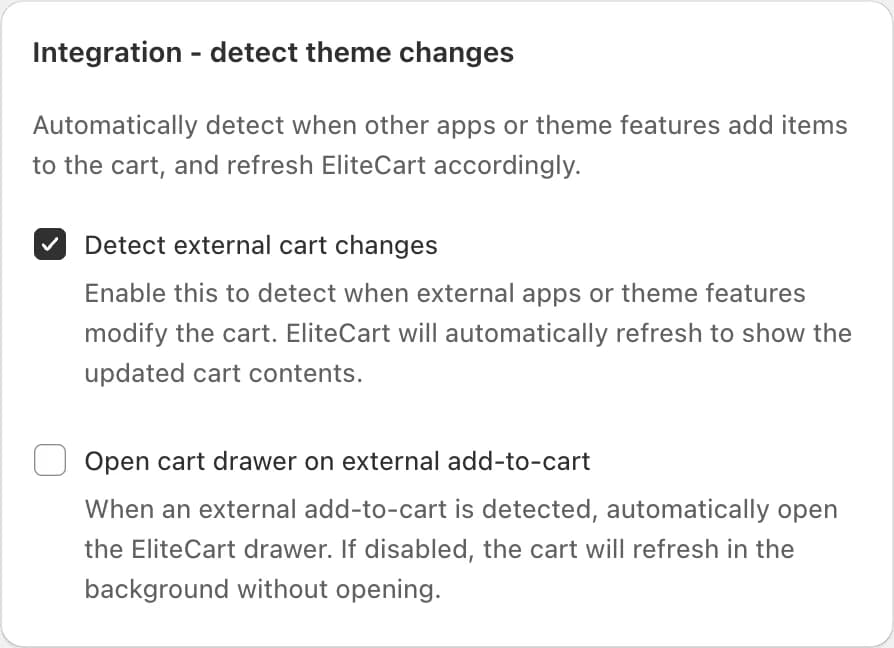
The app adds a bundle, but the EliteCart drawer doesn't open (or the theme cart or /cart page opens) | Turn on Detect external cart changes and Open cart drawer on external add-to-cart | "Integration - detect theme changes" |
| Only the main product lands in the cart; the bundled or add-on products are missing | Turn on Pass through the full html product form (for bundle / product-option apps) | "General settings" |
| The app adds its extra products with its own button handler, and they go missing | Keep Use capture mode for add-to-cart listeners and Prevent immediate propagation on add-to-cart events off | "Theme integration - add to cart" |
| A required option is skipped and the product is added anyway | Turn on Validate product form before add-to-cart, or exclude the app's button with Exclude add-to-cart selector | "Theme integration - add to cart" |
| The cart shows old contents after the app changed it | Turn on Detect external cart changes, or Force reload on cart open | "Integration - detect theme changes" / "General settings" |
Click Save after each change and test in a private browser window.
Which of the two "missing products" fixes applies
Bundle and option apps add their extra products in one of two ways:
- Hidden fields in the product form, sent with the normal add-to-cart (YMQ works this way). Turn on Pass through the full html product form. EliteCart then sends the whole form to Shopify, so every extra product arrives.
- Their own script on the add-to-cart button. Leave the pass-through setting off and make sure Use capture mode for add-to-cart listeners and Prevent immediate propagation on add-to-cart events are both off. Both are off by default; turning them on can stop the app's script from running.
If you're not sure, try the pass-through setting first. For normal products it changes nothing.
Required options
Validate product form before add-to-cart makes EliteCart check the browser's required fields before adding. It only helps if the app marks its fields as required in the standard way. Some apps use their own check instead; for those, exclude the app's button so it can show its own warning first. The Globo article shows an example.
If nothing helps: ask the app's support
Some apps open the theme cart or forward to /cart themselves after adding a bundle. Check the app's settings for an option like "stay on page" after add to cart. If there is none, ask their support to call this instead of opening the theme cart:
window.EliteCart.openDrawerWithDataRefresh()
It loads the latest cart from Shopify and opens the EliteCart drawer. More methods are in the EliteCart API.
Apps with their own article
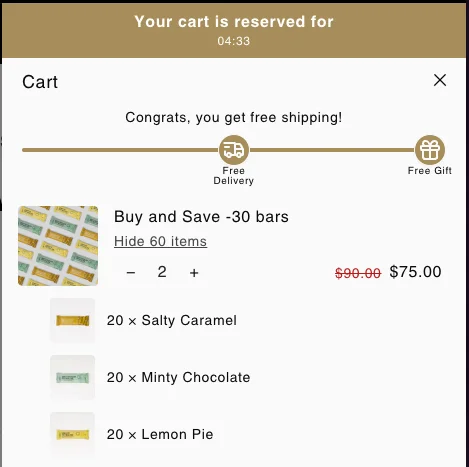
- EliteBundles: our own bundle app; bundles show collapsed in the cart and expand on click.
- Prime Bundles
- YMQ Product Options
- Globo Product Options
Still stuck? Click Request integration in Cart designerOtherIntegrations and tell us which app you use.
Still stuck?
Chat with us and we'll help you get your cart live. Or email contact@elitecart.app.