
Schedule addons and banners ⏱️
Control when cart add-ons and banners appear based on your store's timezone
Last updated
The EliteCart Scheduler allows you to automatically show or hide cart add-ons and banners at specific times, days, or date ranges using your store's timezone.
This allows you to schedule announcements for specials in advance (e.g. Black Friday), or show banners or addons on certain weekdays and/or within certain times (e.g. show an addon that says “pay $3 for same-day shipping” every weekday from 6am to 2pm).
How scheduling works
Timezone behavior:
- All settings use your store's timezone (not the customer’s timezone)
Update frequency:
- Schedules can be set every 15 minutes (00, 15, 30, 45)
- Multiple rules can be combined with OR logic (any match = show)
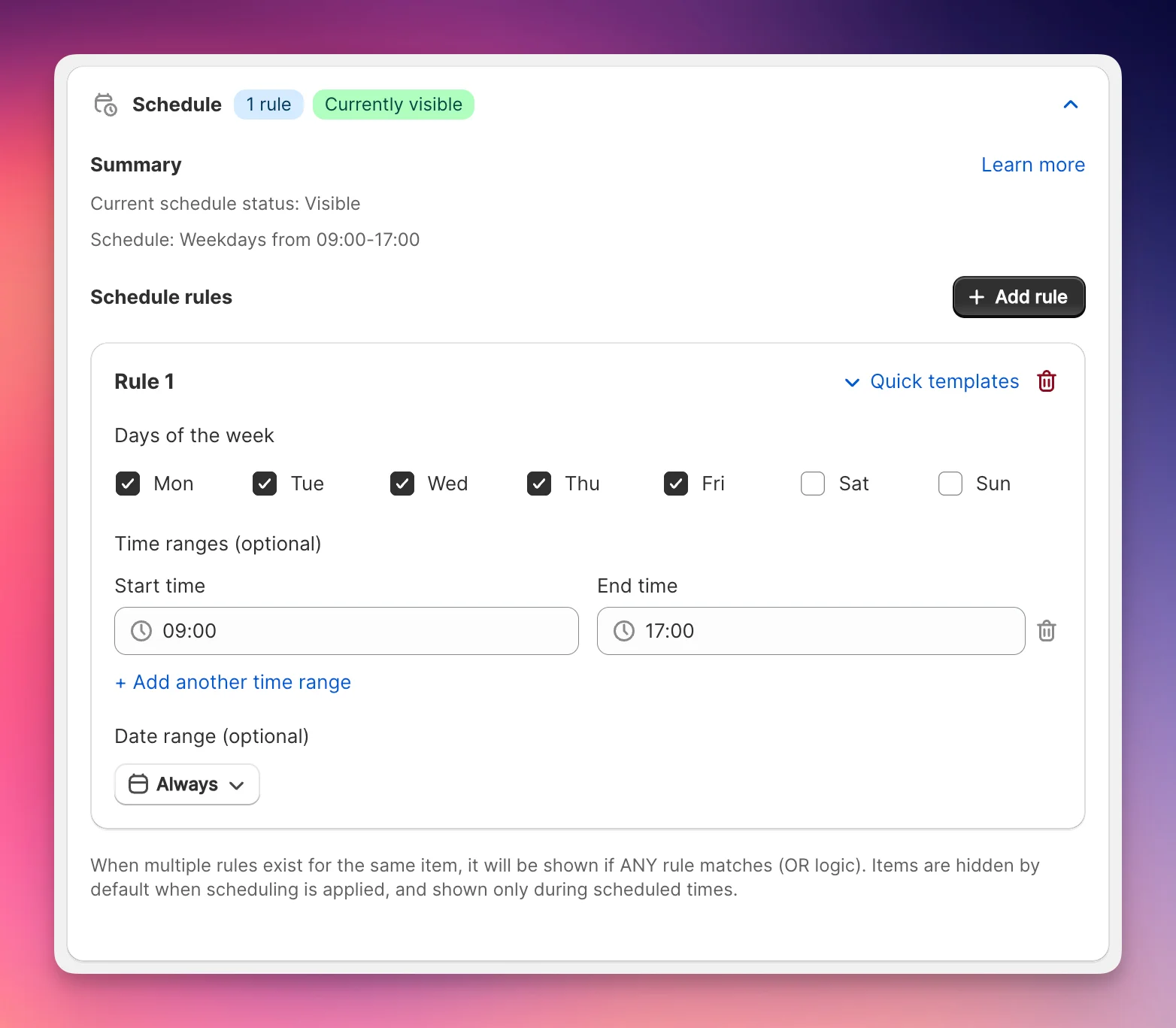
Configure schedules
- Go to Cart Designer → chose Addons or Announcements → Scheduling
- Click Add rule
- Use our Quick templates or set up rules yourself.
- Click Save changes
Schedule options
Scheduling possibilities:
- Select days of the week
- Optionally select time windows with start time and end time
- Optionally select a date range
You can create multiple rules which are combined with OR logic. That means, if any rule applies the item is visible.
Quick templates:
- Business hours: Mon-Fri, 9 AM-5 PM
- Outside business: Mon-Fri, 5 PM-9 AM
- Weekdays: Mon-Fri, all day
- Weekends: Sat-Sun, all day
- Evenings: Every day, 6 PM-11 PM
Practical examples
Same-day shipping cutoff
Target: Addon 1
Days: Monday-Friday
Time: 00:00-14:00
Addon: Get guaranteed same-day shipping for $3.90
Use: Only display before 2 PM warehouse cutoff
Weekend shipping notice
Target: Banner
Days: Saturday-Sunday
Time: All day
Use: "Orders placed on weekends ship Monday"
Happy hour promotion
Target: Banner
Days: All days
Time: 15:00-17:00
Use: Daily 3-5 PM flash sale announcement
Holiday gift wrap
Target: Addon 2
Days: All days
Date: December 1-25
Addon: Get your items wrapped for $4.90
Use: Seasonal gift wrapping service
Black Friday doorbusters
Target: Banner
Days: Friday
Time: 00:00-06:00
Date: November 29 only
Use: Early bird specials
FAQ
Q: What happens if an addon is made unavailable, but the customer has it selected?
A: The addon will be shown as a normal product in the customers cart. The customer cannot change its quantity, but remove it from the cart.
Q: Can I schedule addons or banners to be hidden instead of shown?
A: No, the scheduler controls when items are visible. By default, items are hidden until a schedule rule matches. If you want something visible most of the time but hidden during specific periods, create schedule rules for all the times you want it shown (excluding the times you want it hidden).
Q: What happens if I create overlapping schedule rules?
A: Multiple rules work with OR logic, so if ANY rule matches, the item displays. Overlapping rules won't cause conflicts—the item simply remains visible during any time covered by any active rule.
Q: What happens to customers already viewing the cart when a schedule ends?
A: When a schedule ends (e.g., at 2 PM), the addon or banner becomes invisible when the customer reloads the page or navigates to a different page in your store. The change isn't instant for customers already viewing the cart—they'll see the updated visibility on their next page interaction. If they had an addon selected when it becomes unavailable, it remains in their cart as a regular product.
Q: How far in advance can I schedule items?
A: You can schedule items for any future date. There's no limit—you can set up your Black Friday banner in January if you'd like. Date ranges can span multiple months or even years.
Q: Does using the scheduler slow down my store?
A: No, scheduling doesn't impact your store's performance. All scheduling logic is processed in the backend on EliteCart's servers, not in your customer's browser. The schedules are evaluated and applied on our servers, so there's no additional load on your store.
Q: Can I temporarily disable a schedule without deleting it?
A: Currently, you need to delete rules to disable them. As a workaround, you can set a past date range on the rule to effectively disable it while keeping the configuration, then update the date range when you want to reactivate it.
Q: Can I schedule my 2 addons differently?
A: Yes, both addons have separate schedules.
Still stuck?
Chat with us and we'll help you get your cart live. Or email contact@elitecart.app.