
Announcement banner and countdown
Show a sale, shipping cut-off or any message at the top of your cart, with an optional countdown that adds urgency.
Last updated
The announcement banner shows a short message in your cart, for example a running sale, shipping times or a cut-off for next-day delivery. Add a countdown to create urgency.

Set up the banner
Open Announcement banner
Go to Cart designerAnnouncement banner.
Switch it on
Switch on the toggle in the Status card.
Choose the position
Pick a Position (see below).
Write your text
Fill in Primary text and, if you like, Secondary text in the Text and countdown card. The banner only shows if at least one text is set.
Style it
Set colors and sizes in the Styles card, then click Save.
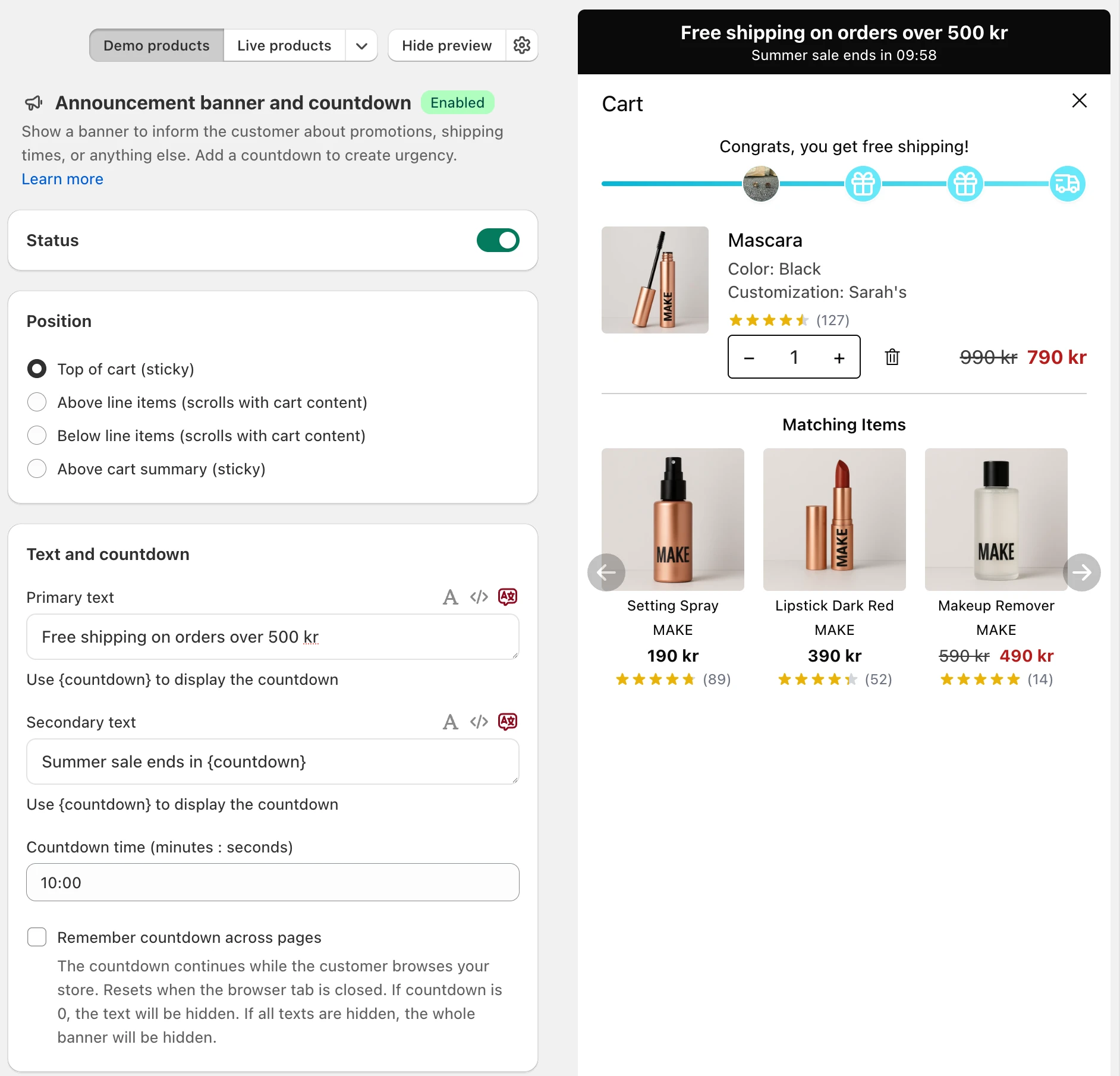
Position
- Top of cart (sticky): above everything, always visible.
- Above line items (scrolls with cart content)
- Below line items (scrolls with cart content)
- Above cart summary (sticky): just above the totals and checkout button, always visible.
Text and countdown
- Primary text: the main message, short and clear, like "BLACK WEEK IS LIVE".
- Secondary text: an optional second line with details, like "Your cart is reserved for
{countdown}minutes."
Both fields support formatting such as bold, italic, text size and color within the text. Click the translate icon next to a field to add the text in your other languages.
To add a countdown, put {countdown} in either text and set the duration in minutes and seconds, for example 10:00 for ten minutes.
How the countdown runs
The countdown starts when the customer opens the cart. By default it starts over on every page.
Tick Remember countdown across pages to keep it running while the customer browses. Then:
- the countdown continues across pages and resets when the browser tab is closed,
- when it reaches 0, the text that contains the countdown is hidden,
- if all texts are hidden, the whole banner disappears.
Styles
- Show border: adds a border. Once ticked, you can set the Border color.
- Primary text size and Secondary text size.
- Primary text color, Secondary text color and Background color.
Show it per market or on a schedule
On the Professional plan or higher, two more cards are available in the section:
- Shopify Markets: different texts per country, or no banner in some countries. See Market-specific announcement banners.
- Schedule: show the banner only on certain days, times or dates. See Schedule addons and banners.
Need a richer banner?
For banners with images, links or buttons, use Custom HTML, where AI can build the banner for you. The card Looking for a more advanced banner? in the section links there too.
Still stuck?
Chat with us and we'll help you get your cart live. Or email contact@elitecart.app.