
Why is my product "Unavailable"?
Fix an addon, gift or upsell product that EliteCart marks as Unavailable, so it shows in your cart again.
Last updated
EliteCart marks a product as Unavailable when Shopify won't sell it in your online store. You see this badge when you pick a product for an addon, a gift reward or an upsell, so you can fix it during setup. Unavailable products are hidden in the cart automatically, which is why the addon, gift or upsell doesn't show.
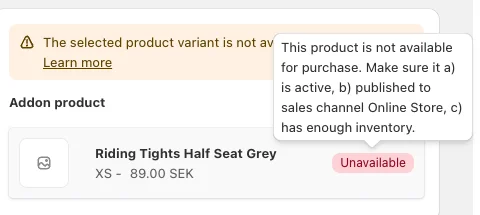
For gift rewards, the Gift product health card under Cart designerRewards also lists unavailable gifts. Click Review to see which products need fixing.
A product is available when it's active, published to the Online Store sales channel and has enough inventory. Check these in your Shopify admin, on the product's page.
Product status and sales channel
-
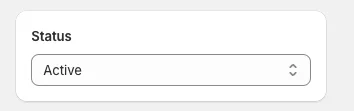
Status is Active. Draft and archived products can't be sold. Unlisted is fine: Unlisted products can still be sold, and the Gift product health card even recommends it for gifts, because it hides them from collections, store search and Google.
-
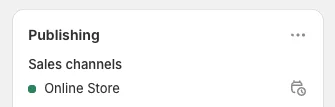
Published to Online Store. Under Publishing, Online Store must be listed as a sales channel.
-
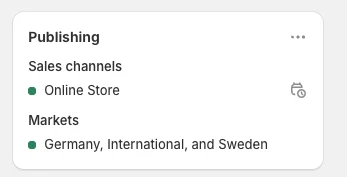
Included in your markets. Under Publishing, check that the product is included in the markets where you sell it.
Inventory
Check the specific variant you selected. Any one of these makes it sellable:
-
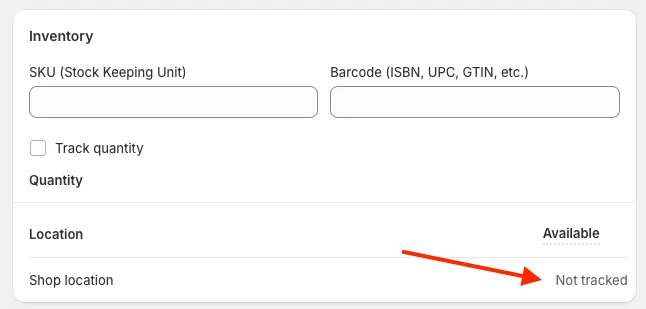
Inventory not tracked. If Track quantity is off, the variant can always be sold.
-
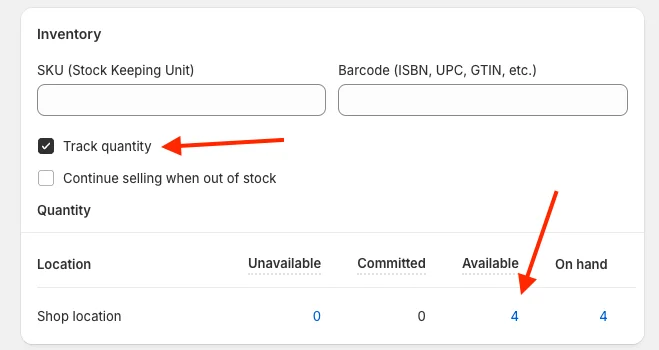
Stock available. With Track quantity on, the Available column must show more than 0. In this example, 4 units are available.
-
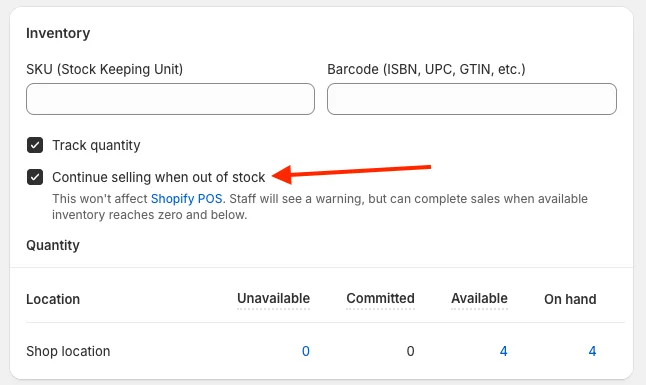
Selling continues when out of stock. With Continue selling when out of stock checked, the variant stays available at 0 units.
Available in one market, sold out in another
If you stock products in several locations that serve different markets, a variant can be in stock for one market and sold out for another. EliteCart then hides it only for customers in the market where it's sold out. Check the inventory at the locations that serve that market.
If you've checked everything and the product still shows as Unavailable, open Help & support in the app and click Chat with us.
Still stuck?
Chat with us and we'll help you get your cart live. Or email contact@elitecart.app.