
"Continue Shopping" button that closes the cart drawer
Show an "or continue shopping" button below the checkout button
Last updated
Goal
Create a "continue shopping" link that closes the cart drawer and lets customers return to browsing your store. This simple feature can improve AOV by giving shoppers an easy way to exit the cart without completing their purchase.
It may look like this:
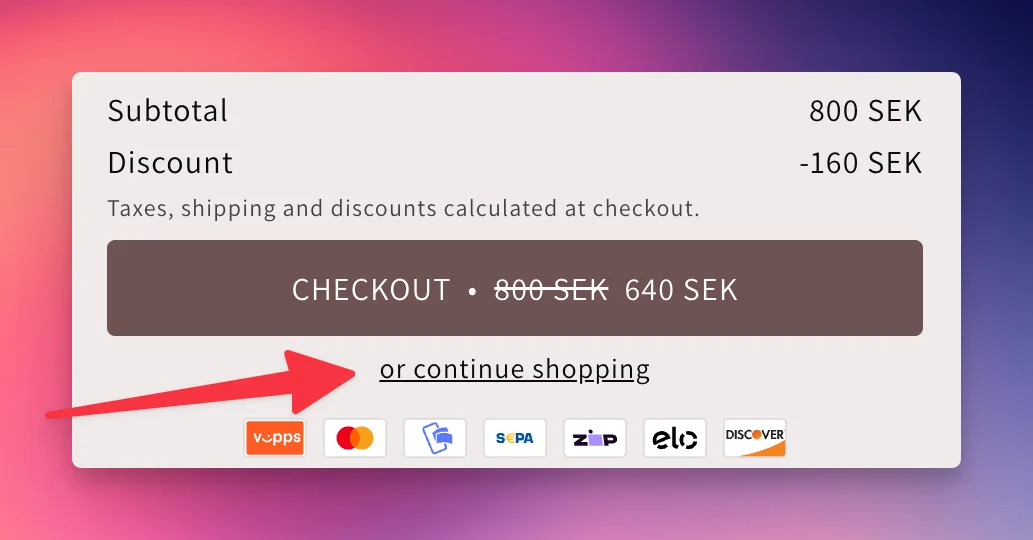
Adding the Continue Shopping Link
To add this link to your cart, you can use the Custom HTML section in EliteCart. Simply go to the EliteCart app settings => Cart Designer. Then enable the “below checkout button” section and paste the following code:
<div class="tw-text-center">
  <a href="#" onclick="window.EliteCart.closeDrawer(); return false;" class="tw-text-sm tw-text-primary tw-underline tw-cursor-pointer">
    or continue shopping
  </a>
</div>
Want to make visual changes?
Just use our integrated AI to make changes to the text, style or similar.
Still stuck?
Chat with us and we'll help you get your cart live. Or email contact@elitecart.app.