
Product reviews in the cart
Show star ratings and review counts from your review app on cart products and upsells, so customers buy with more confidence.
Last updated
Show star ratings and review counts on the products in your cart and on upsell products. The ratings come from the review app you already use, so there is nothing to collect twice.
Which review apps work
Judge.me, Loox and Yotpo are supported out of the box. Other review apps work too if they publish their star ratings to Shopify's standard product review fields. Many apps do this, sometimes behind a setting in the review app.
If you don't see stars, contact our support and we'll help you check your app.
For a review app that shows ratings with its own widget, embed that widget in the cart, see Trustpilot or Custom HTML.
Set up product reviews
Open Product reviews
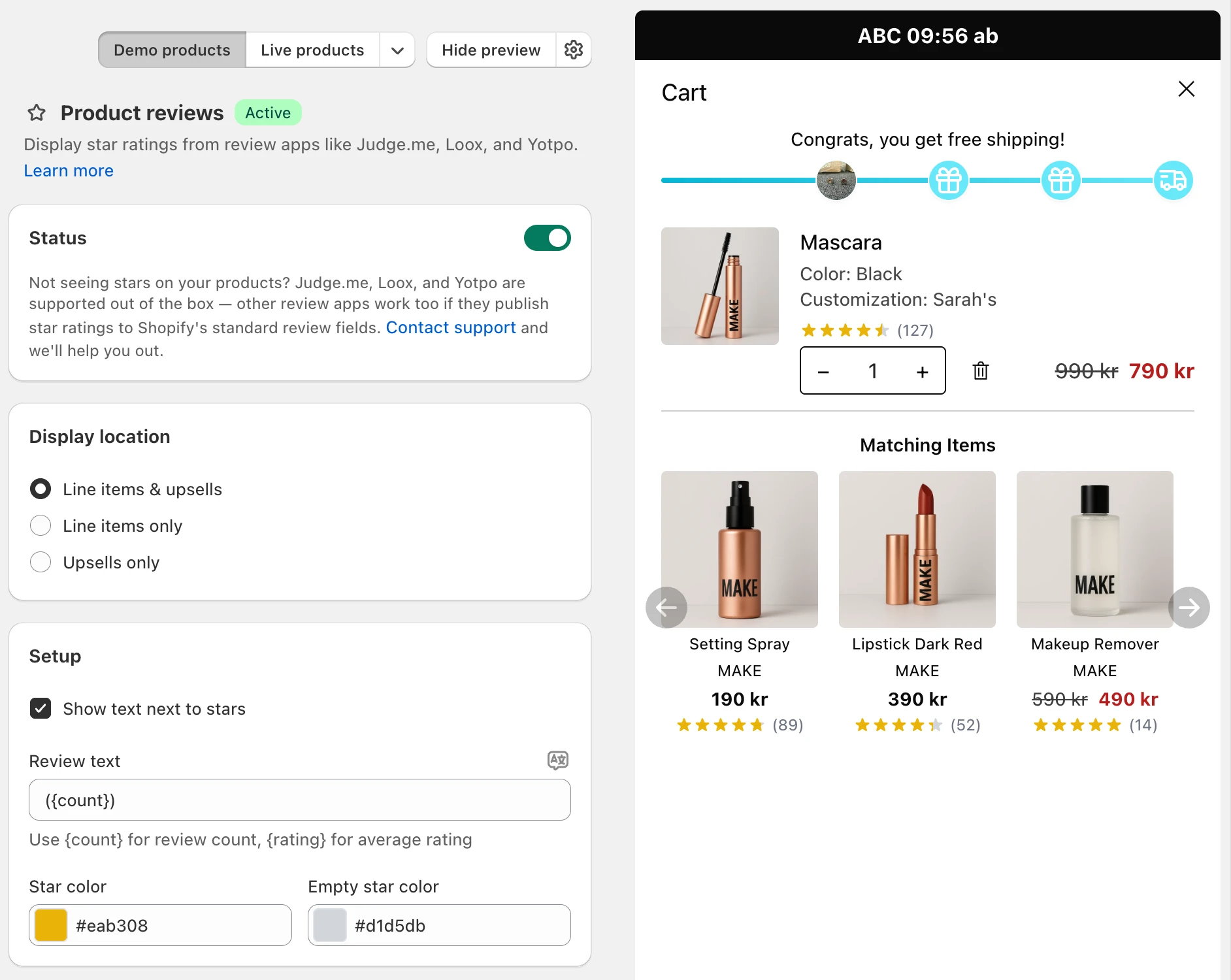
Go to Cart designerProduct reviews.
Generate a token if asked
If you see Storefront API token required, click Generate Token. EliteCart needs it to read the review data. Without it, no stars show.
Switch it on
Switch on the toggle in the Status card.
Choose where stars show
Under Display location, pick Line items & upsells, Line items only or Upsells only.
Style the stars
In the Setup card, set the Star color and Empty star color.
Save
Click Save in the save bar.
Show the review count
Tick Show text next to stars in the Setup card. A Review text field appears. Use these placeholders:
{count}: the number of reviews.{rating}: the average rating.
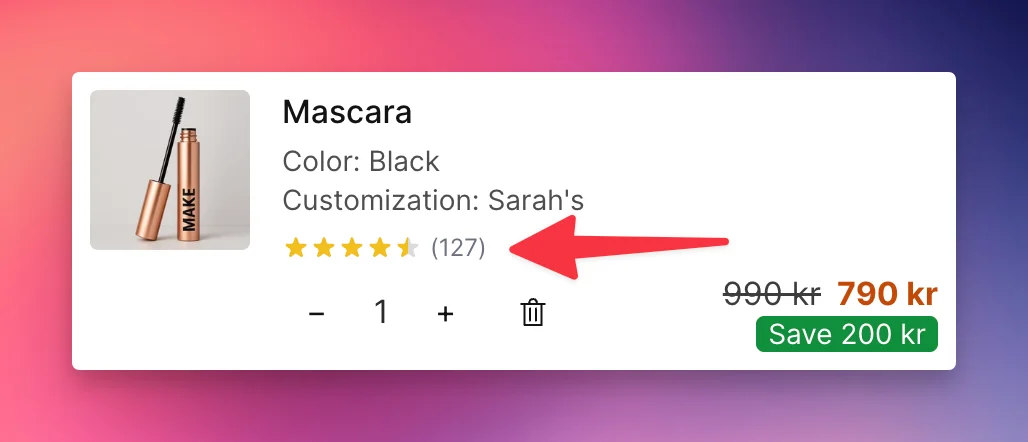
The default is "({count})", which shows as "(127)". Click the translate icon next to the field to add the text in your other languages.
How the stars show
- 1 to 5 stars, with partly filled stars for ratings like 4.3.
- Products with no reviews, or a rating of 0, show no stars.
Still stuck?
Chat with us and we'll help you get your cart live. Or email contact@elitecart.app.