
Image Display (aspect ratios & crop/contain)
Maintain consistent image aspect ratios across your cart to prevent layout shifts.
Last updated
Set uniform image dimensions that match your theme's product image display for a seamless shopping experience.
What it does
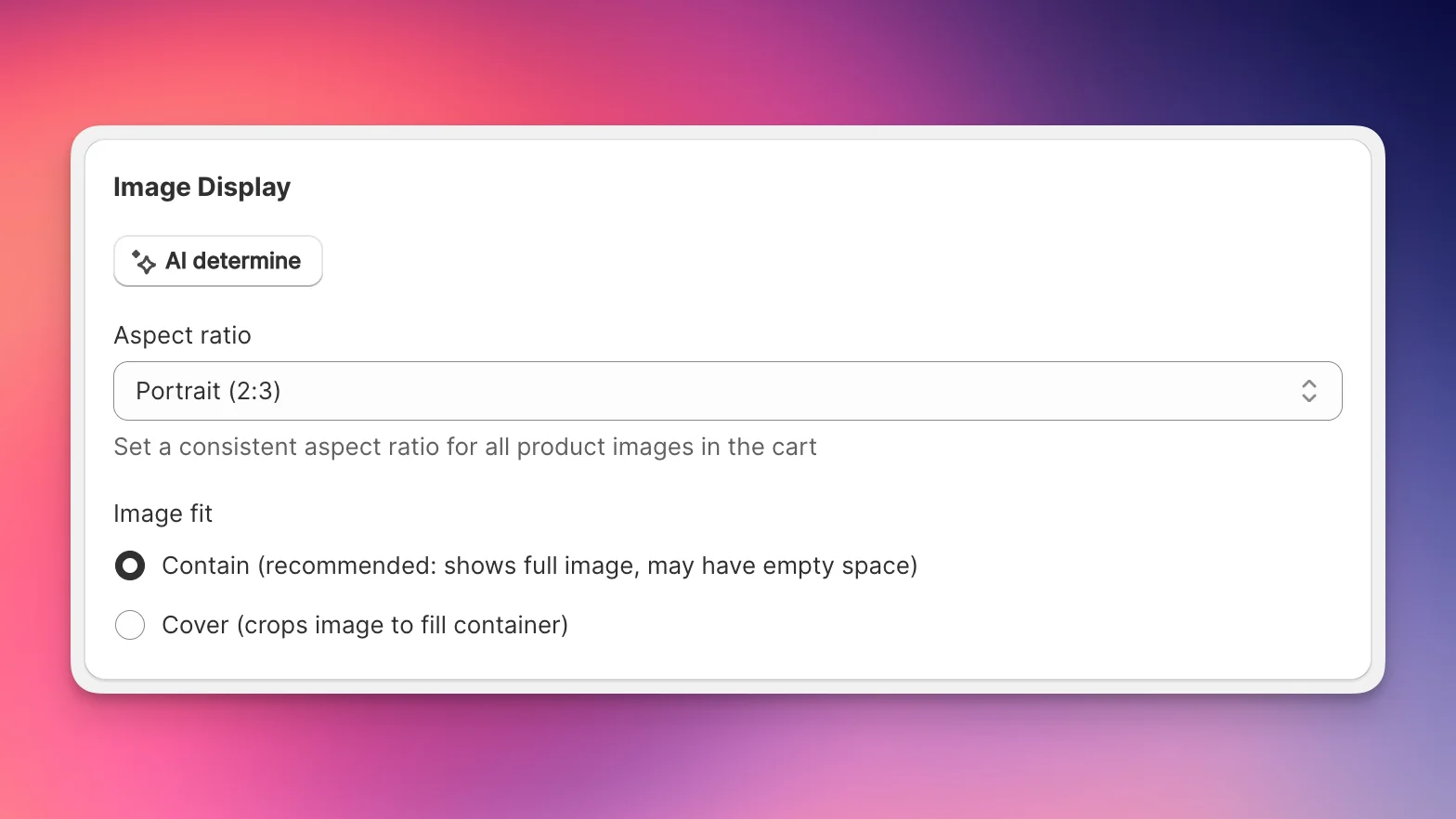
This feature enforces consistent aspect ratios for all product images in the cart. When enabled, images maintain their specified dimensions whether they're landscape, portrait, or square - eliminating the jarring layout shifts that occur when images load at different sizes.
AI Auto-determination
On app installation, EliteCart automatically analyzes your store's product images to determine the most common aspect ratio. This ensures your cart images match your existing product photography style without manual configuration.
Re-determine ratio
If you change your product photography style:
- Go to Cart Designer → Layout & functions → Image Display
- Click AI determine
- The system analyzes 20 active products and applies the most common ratio
- Save your changes
Alternatively, you can set things up yourself:
Configuration
Set aspect ratio
- Navigate to Cart Designer → Layout & functions → Image Display
- Select Aspect ratio:
- Default (no constraint): Images display at their natural dimensions
- Square (1:1): Perfect squares
- Portrait (2:3): Taller than wide, common for fashion
- Standard (3:4): Classic portrait ratio
- Tall (4:5): Instagram-style portrait
- Wide (5:6): Nearly square, slightly taller
- Custom: Set your own width/height ratio
Custom ratios
For unique dimensions:
- Select Custom from Aspect ratio
- Enter Width
- Enter Height
- The ratio is calculated as width:height
Examples:
- Width: 4, Height: 3 = 4:3 landscape ratio
- Width: 9, Height: 16 = 9:16 vertical ratio
- Width: 1, Height: 2 = 1:2 tall portrait
Image fit mode
When an aspect ratio is set, choose how images fill the container:
Contain (recommended):
- Shows the entire image
- May have empty space around edges
- No part of the image is cropped
- Best for: Products with important edge details
Cover:
- Fills the entire container
- May crop image edges
- No empty space visible
- Best for: Lifestyle images or when cropping is acceptable
Benefits
Prevents layout shifts
Without fixed ratios, your cart may “jump around” as images lazy-load at different sizes. Fixed ratios reserve the exact space needed even before images load.
Visual consistency
All product images align perfectly in the cart, creating a professional grid that matches your store's aesthetic.
Faster perceived loading
When space is pre-allocated for images, the cart appears stable immediately - even while images are still loading.
Still stuck?
Chat with us and we'll help you get your cart live. Or email contact@elitecart.app.