
Shipping thresholds for multiple markets
Match the free shipping reward to your Shopify shipping rates in every market, with converted or local-currency thresholds per country.
Last updated
The reward bar only shows progress toward free shipping; Shopify decides the actual shipping price. So the shipping reward should mirror your Shopify shipping rates in each market. This article shows how, using a store with EUR as its currency that also sells to the UK in GBP.
One threshold for all markets
If you have one free shipping rate in your store currency, you only need the reward's default threshold.
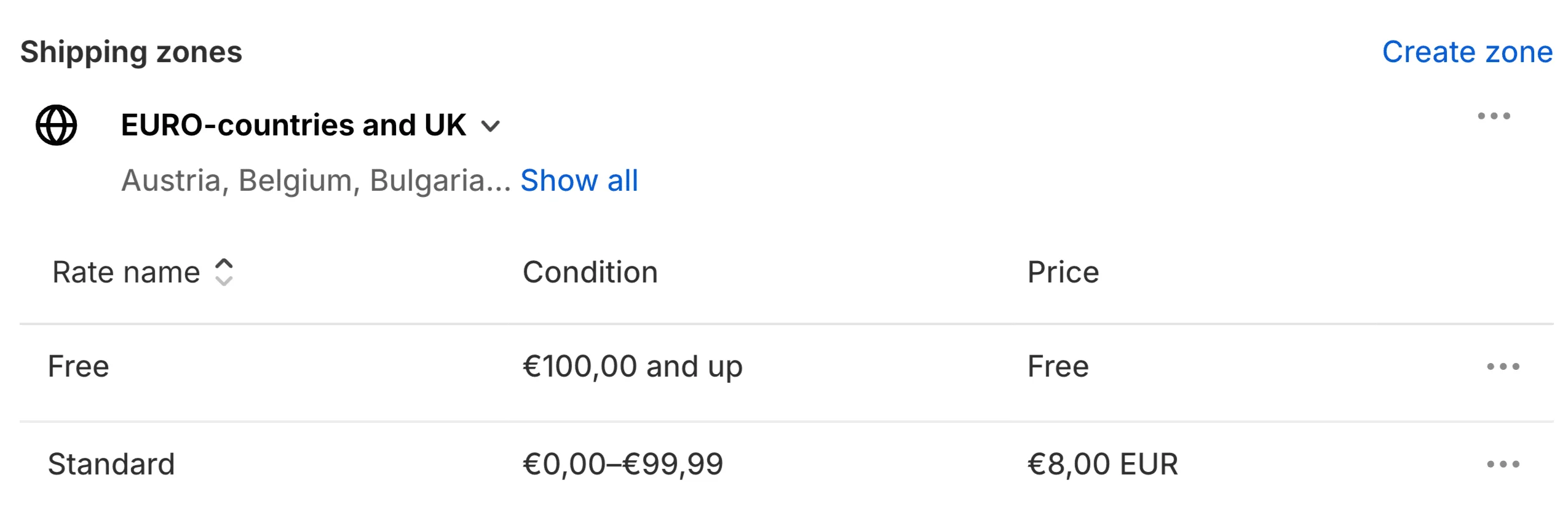
In this example, Shopify gives free shipping from €100. A UK customer paying in GBP gets free shipping from the converted amount, for example £85.43. Set the shipping reward's Threshold to 100 and EliteCart converts it the same way, so UK customers see the same converted amount in the bar.
A fixed threshold in a local currency
Converted thresholds change with the exchange rate. To offer a round amount, such as free shipping from £100, create a separate shipping zone in Shopify with only the UK, and set the rate in GBP.
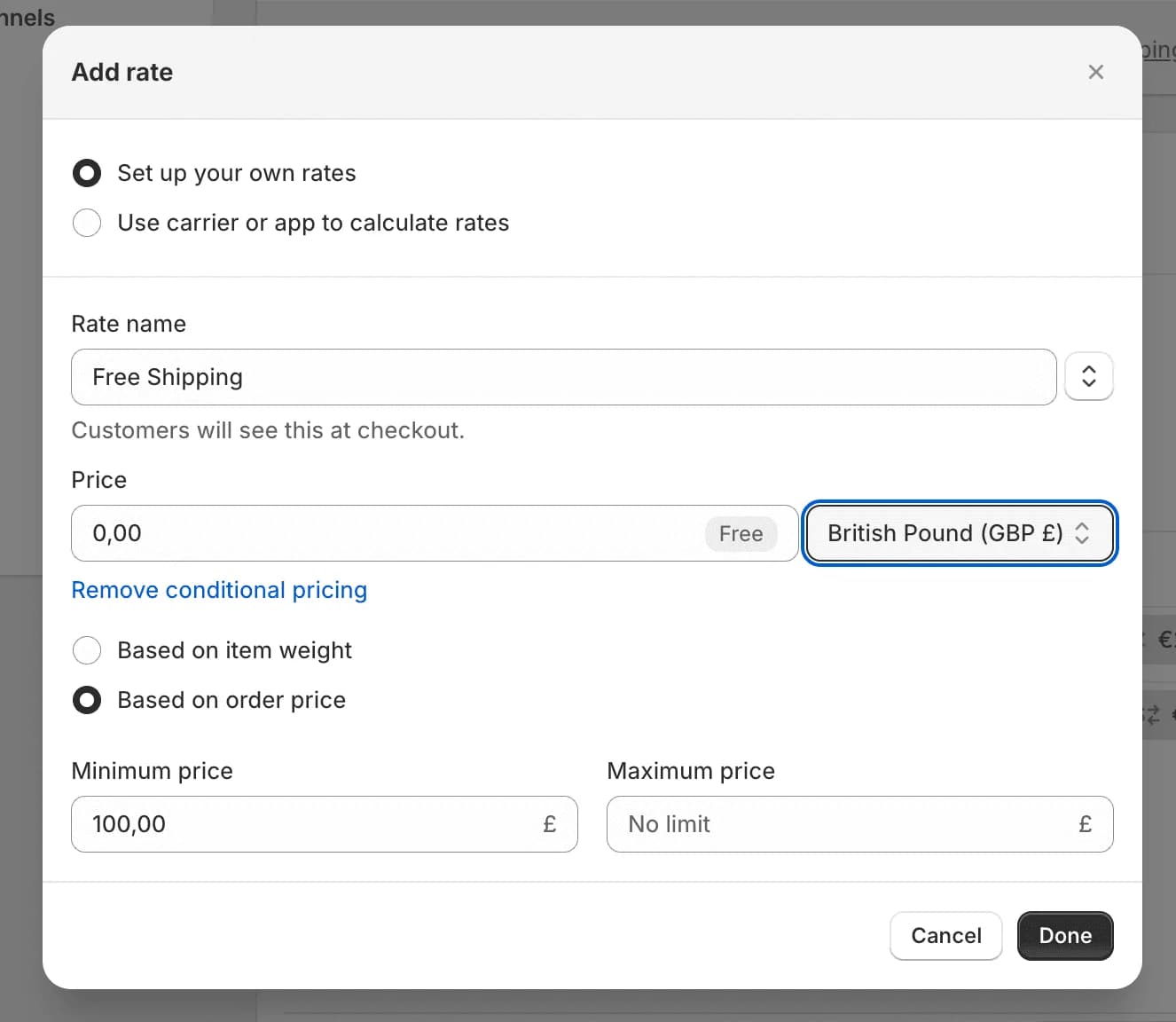
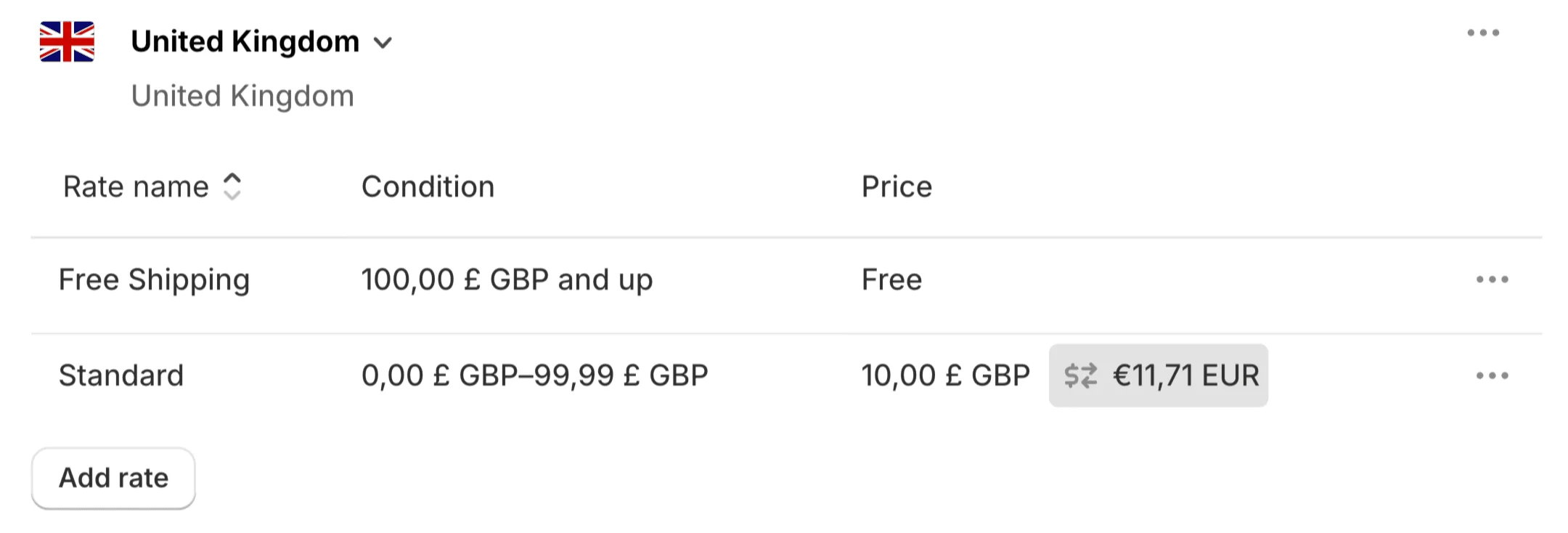
If you can't choose GBP for the rate, check that the United Kingdom is a market with its own currency in Shopify. Shopify only offers the local currency for zones whose countries share it; a zone with Germany and the United States can only use your store currency.
Then match it in EliteCart:
Open the shipping reward
Go to Cart designerFeaturesRewards and click your Shipping reward.
Open Shopify Markets
Expand the Shopify Markets card and click Add market / shipping zone.
Pick the countries
Under Countries, select United Kingdom.
Set the threshold
Enter 100 under Threshold and currency and choose Market currency, so 100 means £100 and isn't converted from euros.
Save
Click Save.
All other countries keep the default threshold; the card shows "All other markets will use your default threshold". Add one market per Shopify shipping zone with its own free shipping rate. Choose Store currency instead when your Shopify rate for that zone is in your store currency.
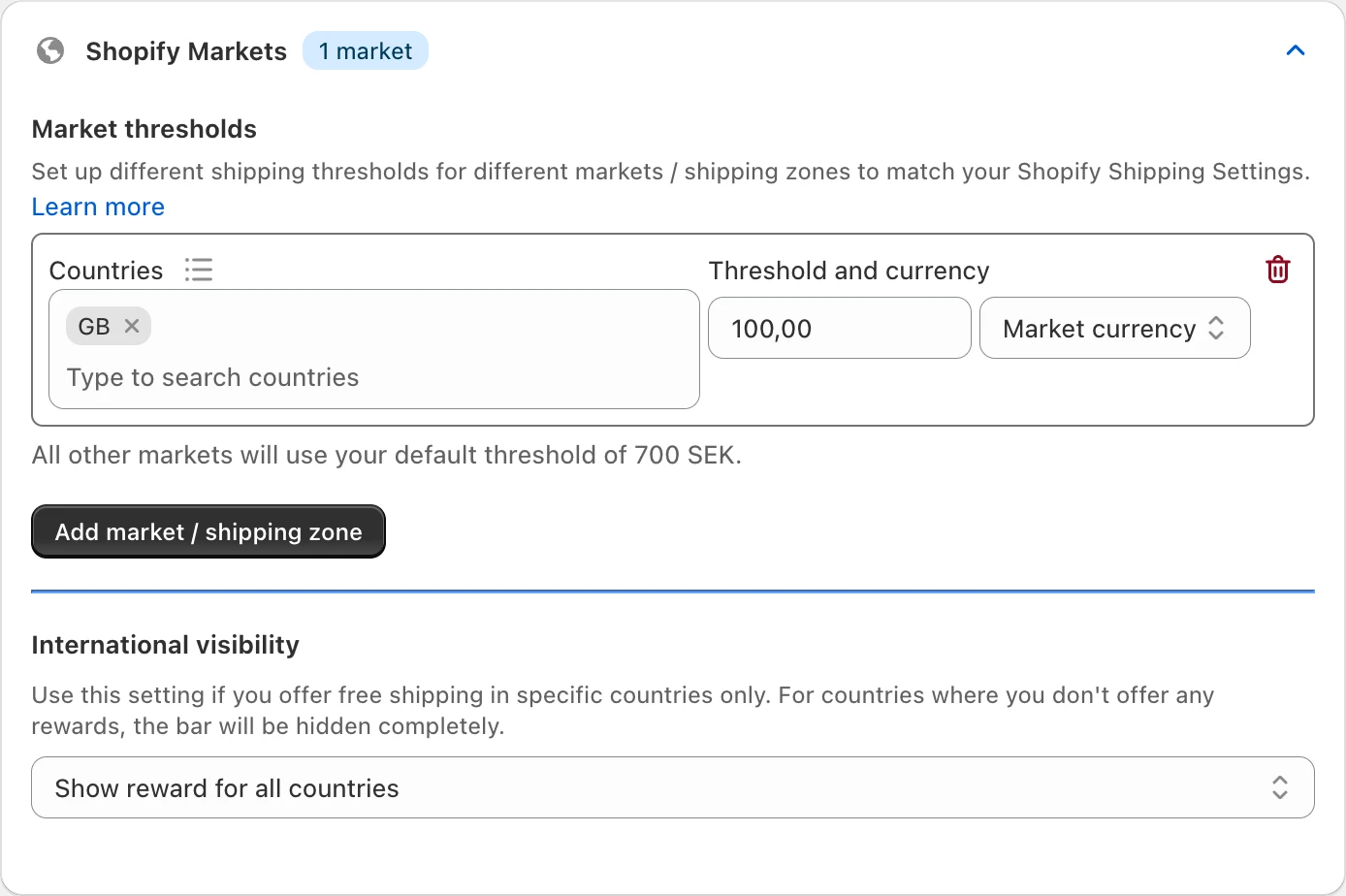
We recommend local thresholds for your main markets. For the rest of the world, use Shopify's general zone and the reward's default threshold rather than a market for every country.
Hide free shipping in some countries
If you don't offer free shipping everywhere, use International visibility in the same card:
- Show reward for all countries, except as specified below, then list the countries under Don't show reward for.
- Show reward for specific countries only, then list them under Only show reward for.
In countries where no reward applies, the reward bar is hidden completely. The country pickers have presets such as EU Countries and Nordic.
Make sure customers see the right market
EliteCart uses the country Shopify assigns to the customer. Turn on Shopify's geolocation so customers land in the right market and currency; otherwise they may see another market's threshold.
Still stuck?
Chat with us and we'll help you get your cart live. Or email contact@elitecart.app.