
Check that everything works as intended
A 3-minute test of EliteCart in your theme, plus the exact setting that fixes each common problem.
Last updated
EliteCart replaces your theme's cart, and themes differ in how they build their cart icon, add-to-cart buttons and quick-shop windows. This 3-minute check shows you whether everything works in your theme, and the table below tells you which setting fixes each problem.
Run the check in your live store, or in the preview of a theme copy if you activated EliteCart there first.
The 3-minute check
Open the cart from the cart icon
Click the cart icon in your store's header. EliteCart should open, and no other cart should be visible behind it. Close it with the X.
Add a product from a product page
On a product page, pick a non-default variant and a quantity other than 1, then click your add-to-cart button. EliteCart should open with exactly that variant and quantity, added once.
Add a product from a collection page
If your theme has quick-add buttons or a quick-shop window on collection pages, add a product from there. EliteCart should open and the quick-shop window should close.
Watch the cart icon count
The number on your theme's cart icon should update after you add, change or remove a product.
Visit the cart page
Go to
yourstore.com/cart. With Block cart page on (the default for new stores), you're sent back to the previous page and EliteCart opens.Look at the design
Check fonts, buttons and spacing in the cart on desktop and on your phone.
Switch off your theme's own cart drawer
If your theme has its own cart drawer, set your theme to use the cart page instead. This stops two carts from opening at once and makes your pages a little lighter.
Open the theme editor
In Shopify, go to Online StoreThemes and click Customize on the theme with EliteCart.
Find the cart setting
Look for a cart setting in Theme settings or in the header section. Themes call it "Cart type", "Cart", "Drawer cart" or similar.
Choose the cart page and save
Choose the cart page option (often called "Page") instead of "Drawer", "Popup" or "Notification", then click Save.
If you can't find the setting, check your theme's documentation or ask us in the chat.
If something's off
All of these settings are in Cart designerOtherAdvanced. Change one at a time, click Save and test again.
| What you see | What to change |
|---|---|
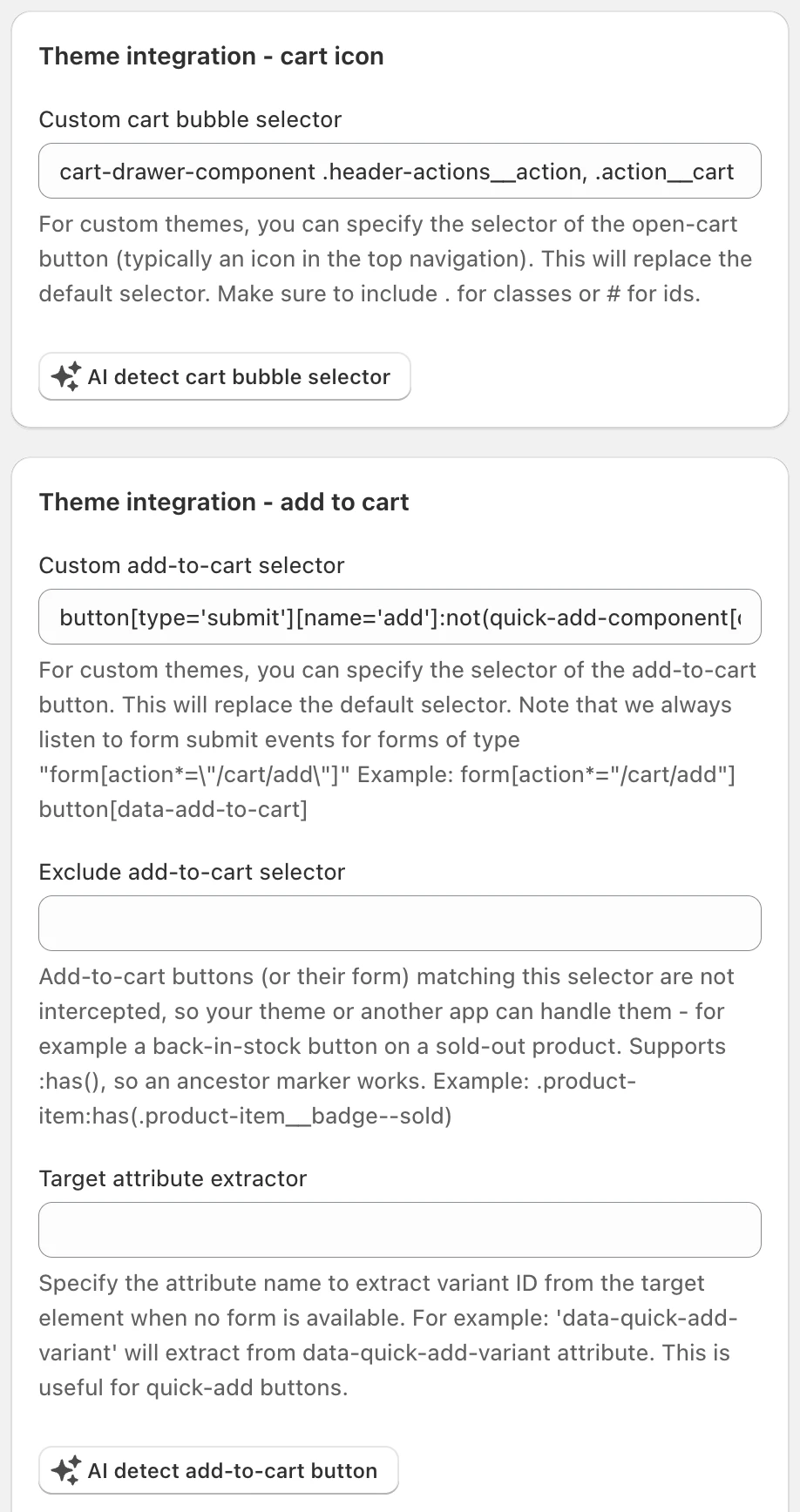
| Clicking the cart icon opens the theme's cart or the cart page | AI detect cart bubble selector, or enter the icon's selector in Custom cart bubble selector |
| The theme's cart opens after add to cart, or both carts open | Switch off your theme's cart drawer (above), then try AI detect add-to-cart button |
| Clicking add to cart does nothing, or EliteCart doesn't open | AI detect add-to-cart button or Custom add-to-cart selector, then Use capture mode for add-to-cart listeners. Also check that Open cart automatically when customer adds product to cart (recommended) is on |
| The product is added twice | Prevent immediate propagation on add-to-cart events |
| The quick-shop window stays open behind EliteCart | Custom close quick-shop selector |
| The cart icon count doesn't update | Theme integration - rerender sections with AI determine cart icon re-rendering |
| Products added by another app or a theme feature don't show up | Detect external cart changes, plus Open cart drawer on external add-to-cart if the cart should open |
| A bundle or product-options app adds the main product but not its extras | Pass through the full html product form (for bundle / product-option apps). See Integration with bundle apps |
| A "Notify me" button on a sold-out product opens the cart | Exclude add-to-cart selector |
| Theme fonts, buttons or spacing leak into the cart | Use Shadow DOM for CSS isolation |
| Customers can still reach the theme's cart page | Block cart page |
More detail on the first five rows: EliteCart does not open, or the theme cart opens instead and The cart icon count does not update.
Still stuck? Open Help & support in the app and click Chat with us. Theme issues are usually quick for us to fix.
Still stuck?
Chat with us and we'll help you get your cart live. Or email contact@elitecart.app.