
Discount code field (Discount Box)
Let customers enter discount codes right in the cart, as a visible field or a discrete link, with your own texts and colors.
Last updated
The Discount Box adds a discount code field to your cart, so customers can apply a code before they reach checkout and see the new total right away. It can be always visible or a small "Add discount code" link that opens the field on click.
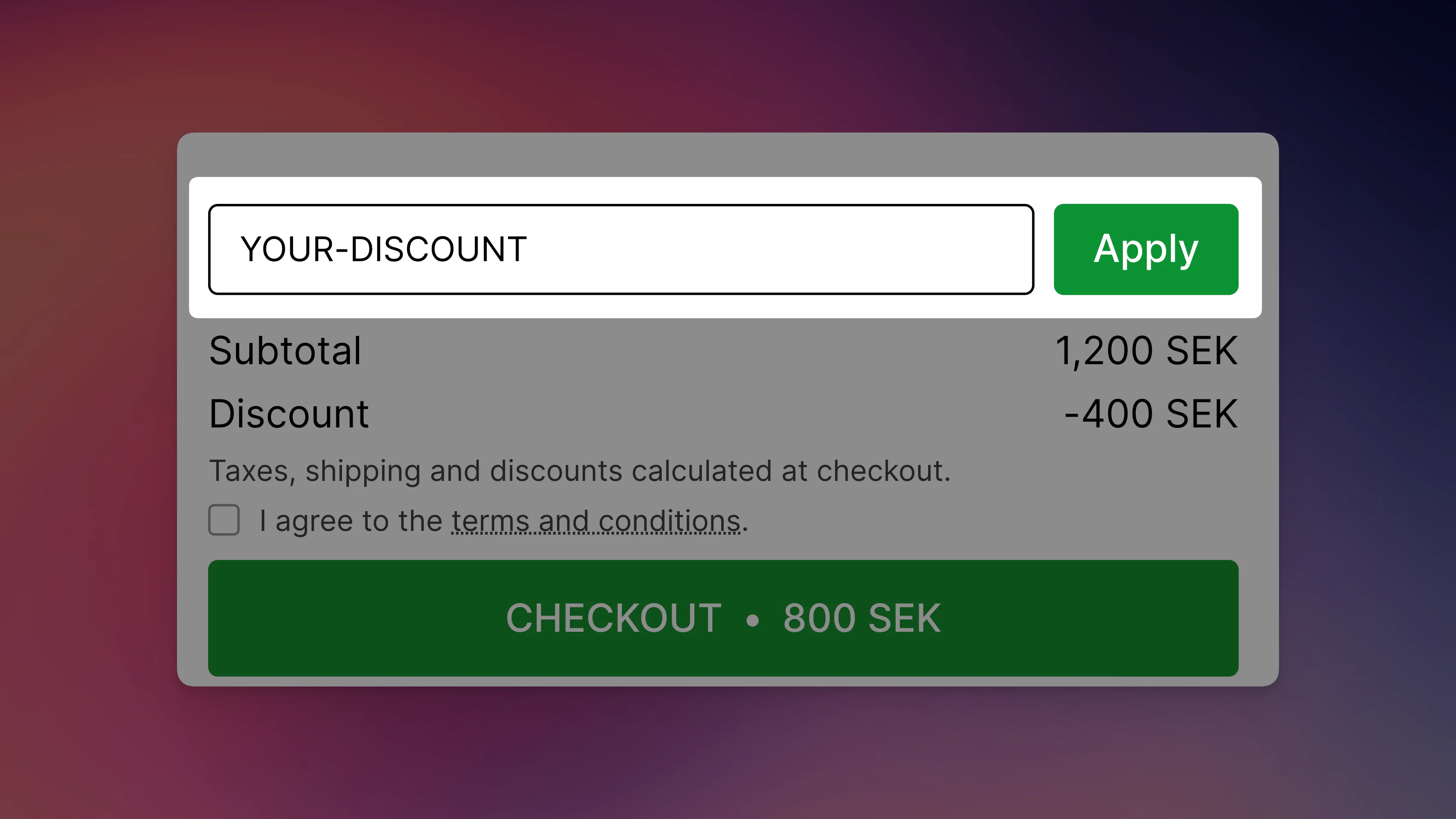
Turn on the discount field
Open Discount Box
Go to Cart designerDiscount Box.
Switch it on
Switch on the toggle in the Status card.
Choose a display mode
Pick Visible input or Discrete text (see below).
Save
Click Save in the save bar.
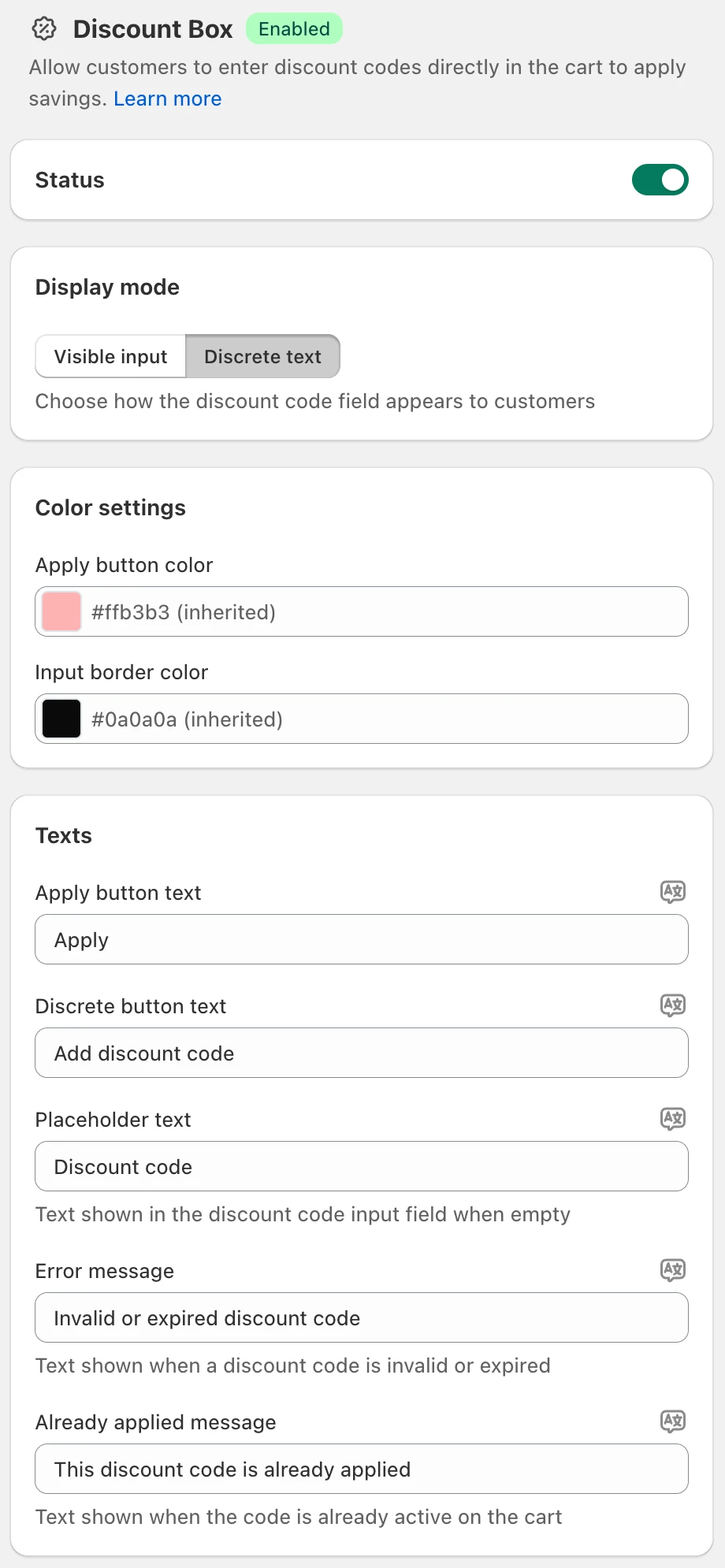
Display mode
- Visible input: the code field and Apply button are always shown in the cart.
- Discrete text: a small link, "Add discount code" by default, opens the field on click. It takes less space.
Use Visible input when you actively promote codes, for example during a sale or with influencer codes. Use Discrete text when most customers don't have a code.
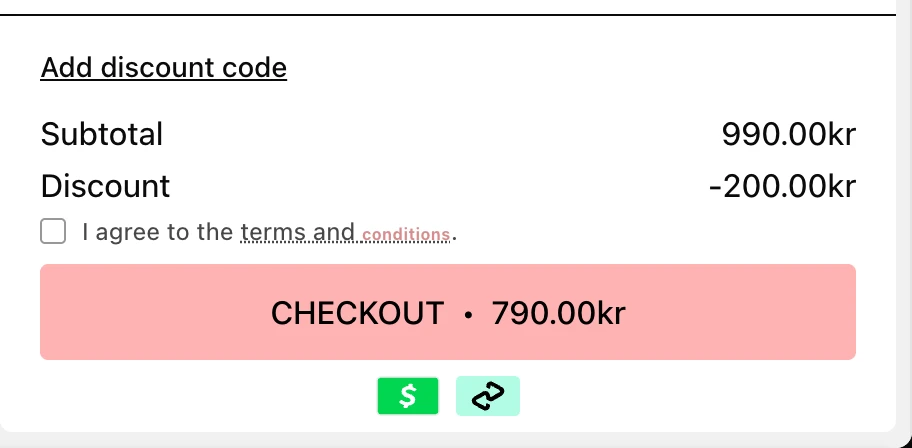
Colors
In the Color settings card:
- Apply button color: leave it empty to use your checkout button color.
- Input border color: leave it empty to use your primary text color.
Texts
| Field | Default | Shown |
|---|---|---|
| Apply button text | Apply | On the button |
| Discrete button text | Add discount code | As the link, only with Discrete text |
| Placeholder text | Discount code | Inside the empty field |
| Error message | Invalid or expired discount code | When Shopify rejects the code |
| Already applied message | This discount code is already applied | When the code is already active on the cart |
Click the translate icon next to a field to add the text in your other languages.
How codes are checked
Shopify checks every code and calculates the discount. EliteCart only passes the code to Shopify and shows the result. A code that Shopify accepts but hasn't activated yet, for example because the cart hasn't reached the code's minimum order value, stays on the cart and applies once the condition is met.
Apply codes automatically
The card Advanced: Auto-Apply Discount Codes links to a separate feature: EliteCart can apply a discount code automatically when a customer adds a specific product to the cart. It works independently of the Discount Box. See Auto-apply a discount code on add to cart.
Still stuck?
Chat with us and we'll help you get your cart live. Or email contact@elitecart.app.