
Low Inventory Notice
Show low-stock alerts on cart items and upsells to create urgency and increase conversion.
Last updated
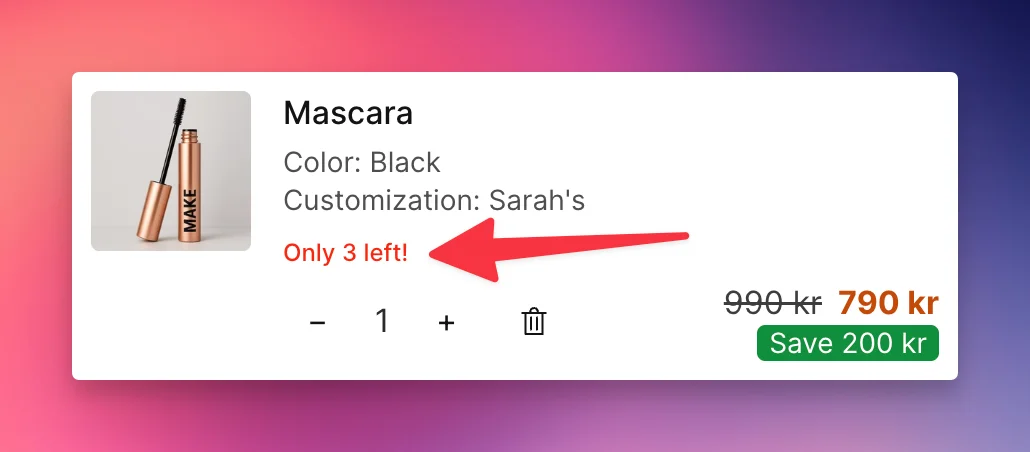
Display a notice like "Only 3 left!" on cart line items and upsell product cards when a product's stock is at or below a configurable threshold.
Configuration
- Go to Cart Designer → Layout & Function → Inventory notice
- Check Enable to activate the feature
- Set the Threshold — the notice appears when stock is at or below this number (default:
5) - Choose the Display location:
- Line items & upsells — show on both
- Line items only
- Upsells only
- Customize the Notice text — use
{count}to insert the remaining quantity. Default: "Only {count} left!". You can also go less specific, e.g. “Only a few left”. - Set the Text color to match your branding
How It Works
- The notice only appears when inventory is greater than 0 and at or below the threshold
- Uses variant-level inventory when available, otherwise falls back to the product-level total
Translations
The notice text is translatable. Go to Language & Translations to set translations for each language your store supports. Use {count} in each translation to insert the remaining quantity.
Still stuck?
Chat with us and we'll help you get your cart live. Or email contact@elitecart.app.