
Product Savings
Display savings per product to highlight value and encourage purchases.
Last updated
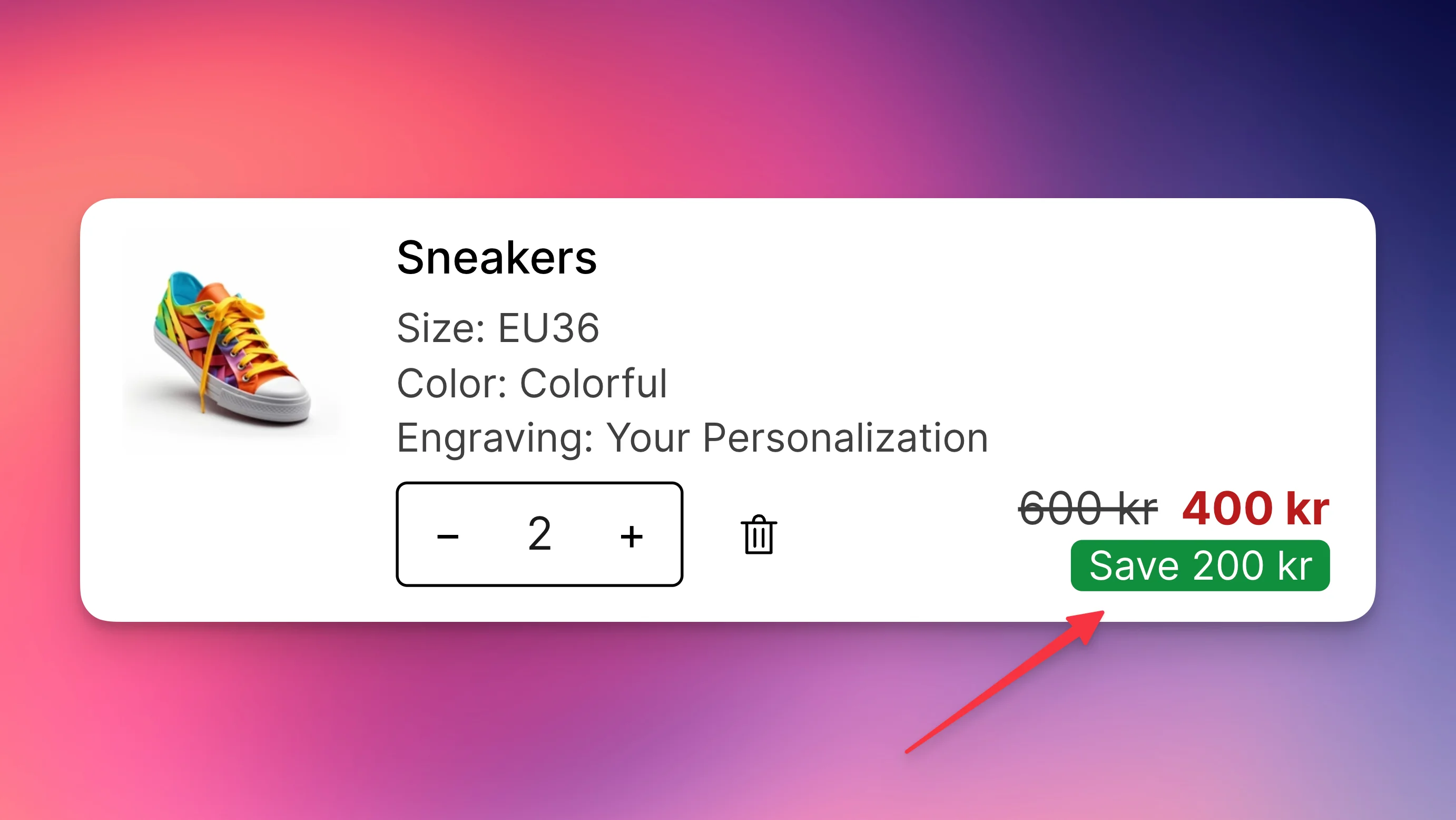
Show customers exactly how much they save on each discounted item directly in the cart.
What it does
When products have a compare-at price or discounts applied, this feature calculates and displays the savings amount for each line item. The savings appear either inline with the price or on a separate row, making discounts/savings immediately visible to encourage checkout completion.
Configuration
Enable the feature
- Go to Cart Designer → Layout & function → Product savings
- Check Show to enable
- Save your changes
Customize the text
The Savings text field controls what customers see. Use {amount} to insert the calculated savings.
Examples:
Save {amount}→ Save $20.00-{amount}→ -$20.00You save {amount}→ You save $20.00{amount} off→ $20.00 off
Design options
Background emphasis
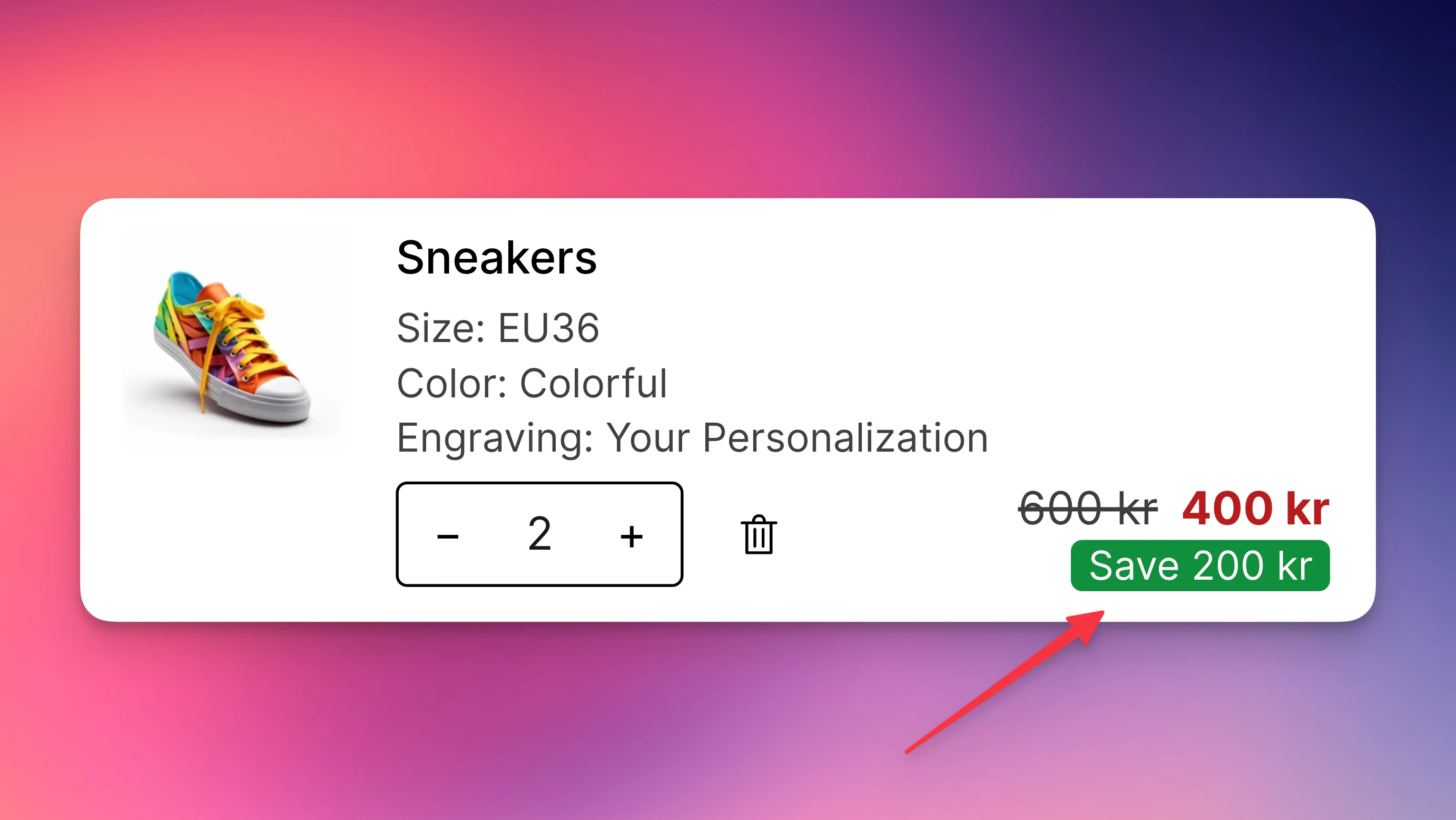
Add a colored background to make savings stand out:
- Set Background color to your brand color or green (#0ebe38)
- Set Text color to white (#ffffff) for contrast
- Adjust Text size (13px works well)
This creates a badge-like appearance that draws attention.
Text-only emphasis
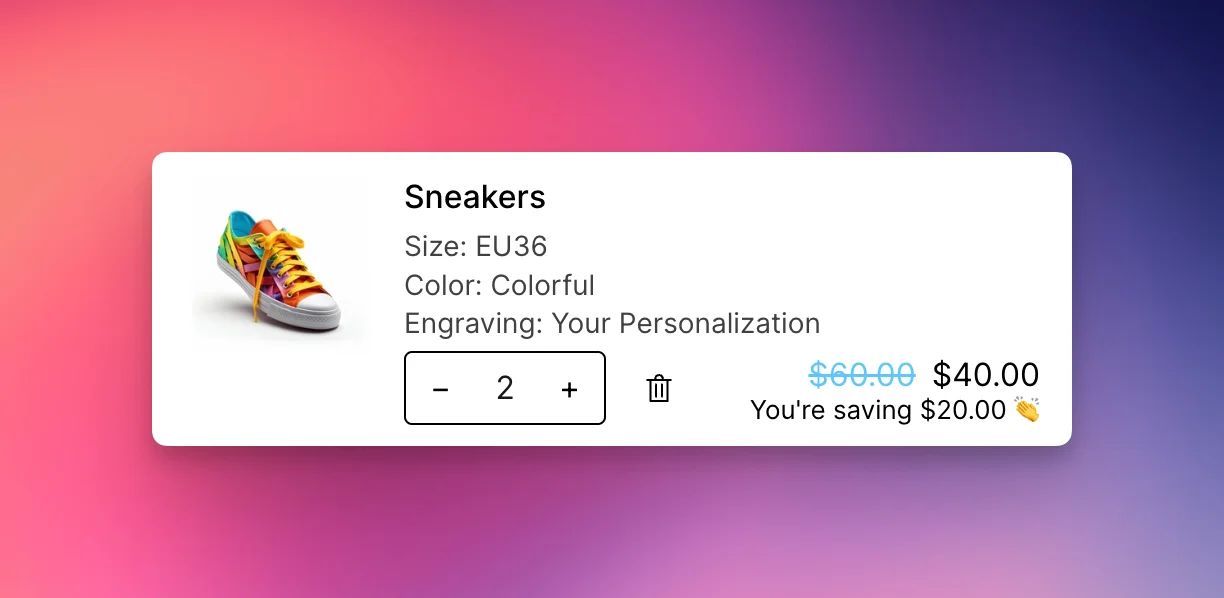
For a cleaner look:
- Leave Background color empty
- Set Text color to green (#0ebe38) or red for emphasis
- Keep the same text size as your prices
This integrates smoothly with your existing design.
Layout options
Same row (compact):
- Uncheck Place savings on next row
- Savings appear inline:
$60.00 $40.00 (-$20.00) - Best for mobile or minimal designs
Separate row (prominent):
- Check Place savings on next row
- Savings appear below the price
- More visual space and emphasis
Design tips
High emphasis approach
- Green background (#0ebe38) with white text
- Separate row placement
- Text:
Save {amount}
Subtle approach
- No background color
- Green text (#0ebe38)
- Same row placement
- Text:
-{amount}
Brand-aligned approach
- Use your brand color as background
- White text for contrast
- Match the style of other cart elements
- Consistent with free shipping bar colors
Common configurations
E-commerce standard:
Text: Save {amount}
Background: #0ebe38 (green)
Text color: #ffffff (white)
Placement: Next row
Minimalist:
Text: -{amount}
Background: (none)
Text color: #0ebe38 (green)
Placement: Same row
Brand-focused:
Text: You save {amount}
Background: [Your brand color]
Text color: #ffffff (white)
Placement: Next row
Still stuck?
Chat with us and we'll help you get your cart live. Or email contact@elitecart.app.