
Hiding addons and gifts from search and SEO
Using seo.hidden metafield to hide Shopify Products from Store Search & Google Search
Last updated
Even if you haven't added your addon or gift to any collections (and we recommend that you don't), it might still appear in your store's search results as well as Google search results.
We recommend that you hide the addon product from appearing in those places, too. This is useful as it will keep the addons exclusive to the cart / checkout process.
To hide an addon product from search and SEO, you can leverage Shopify's metafield functionality. Here's how:
1. Create a Metafield Definition
First, you need to create a metafield definition for the "seo.hidden" metafield. Navigate to your Shopify admin panel, go to "Settings" > "Custom data". Under "Metafields definitions", click "Products".
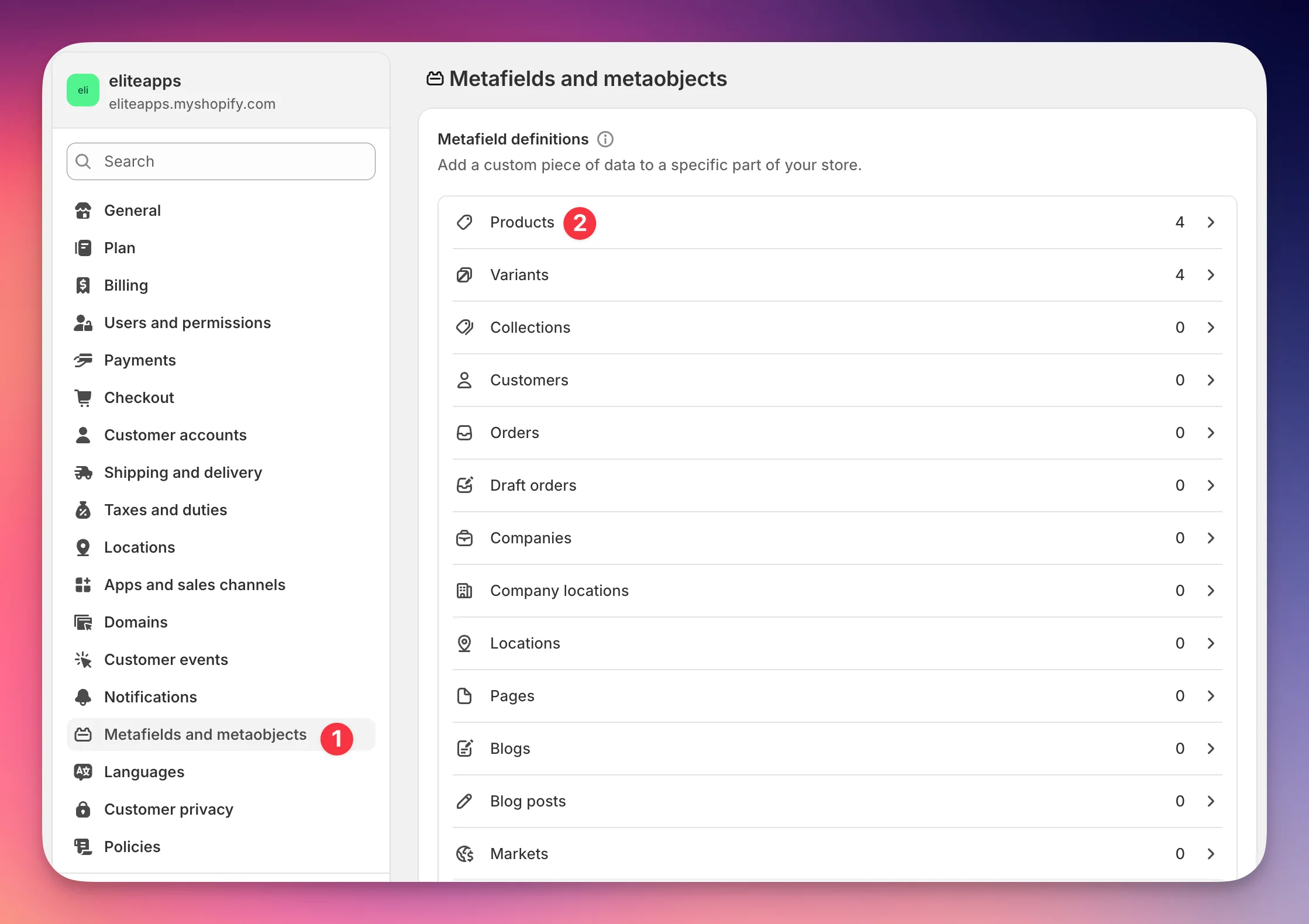
Then click Add definition:
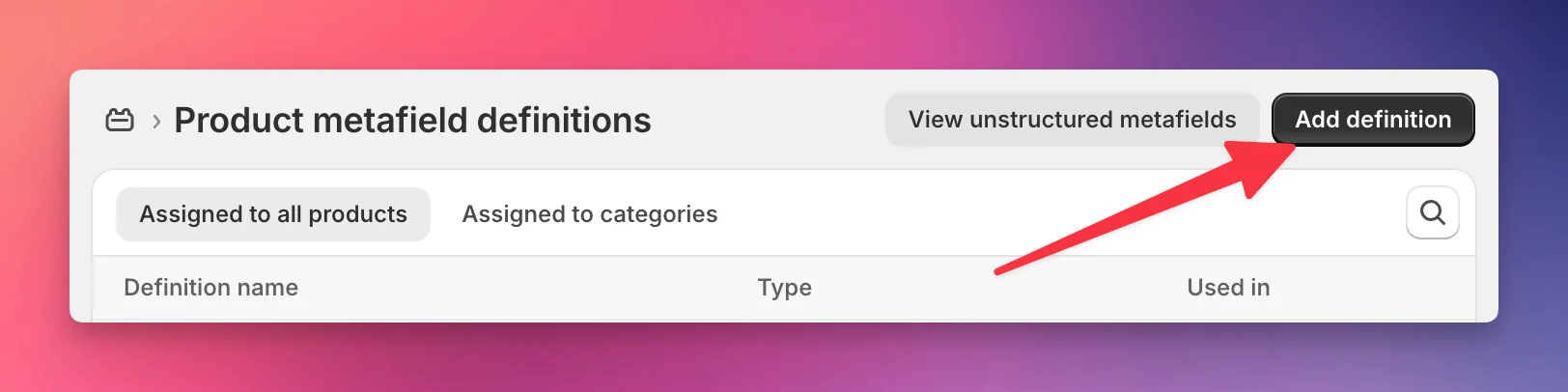
Now enter
- Name: SEO Hidden
Then click on custom.seo_hidden
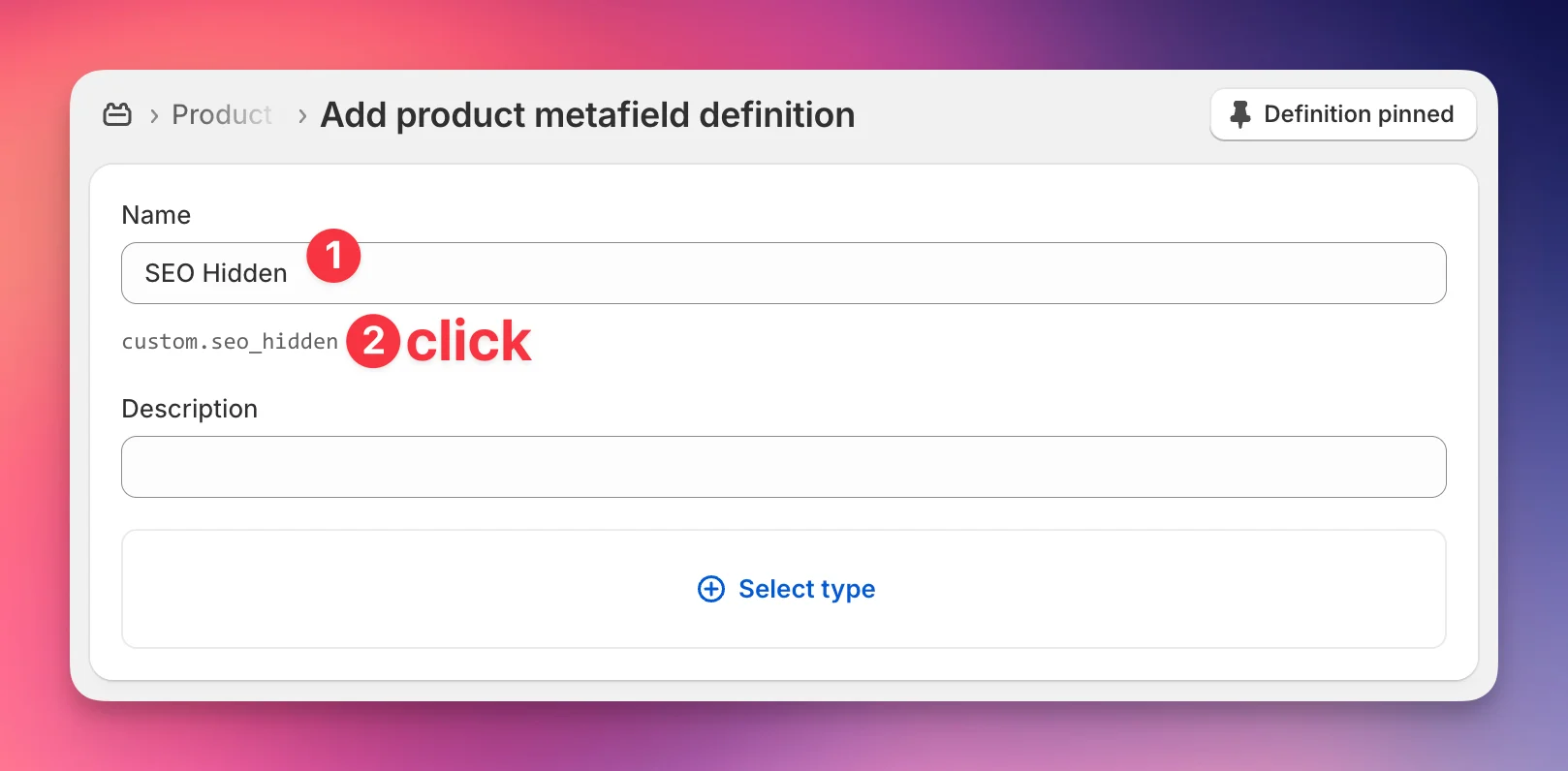
This will open a new field called Namespace and key. Replace the content in that new field with exactly this text: seo.hidden
You might get a warning “Namespace and key are already taken”. You can safely ignore this.
Lastly, select Integer as the type.
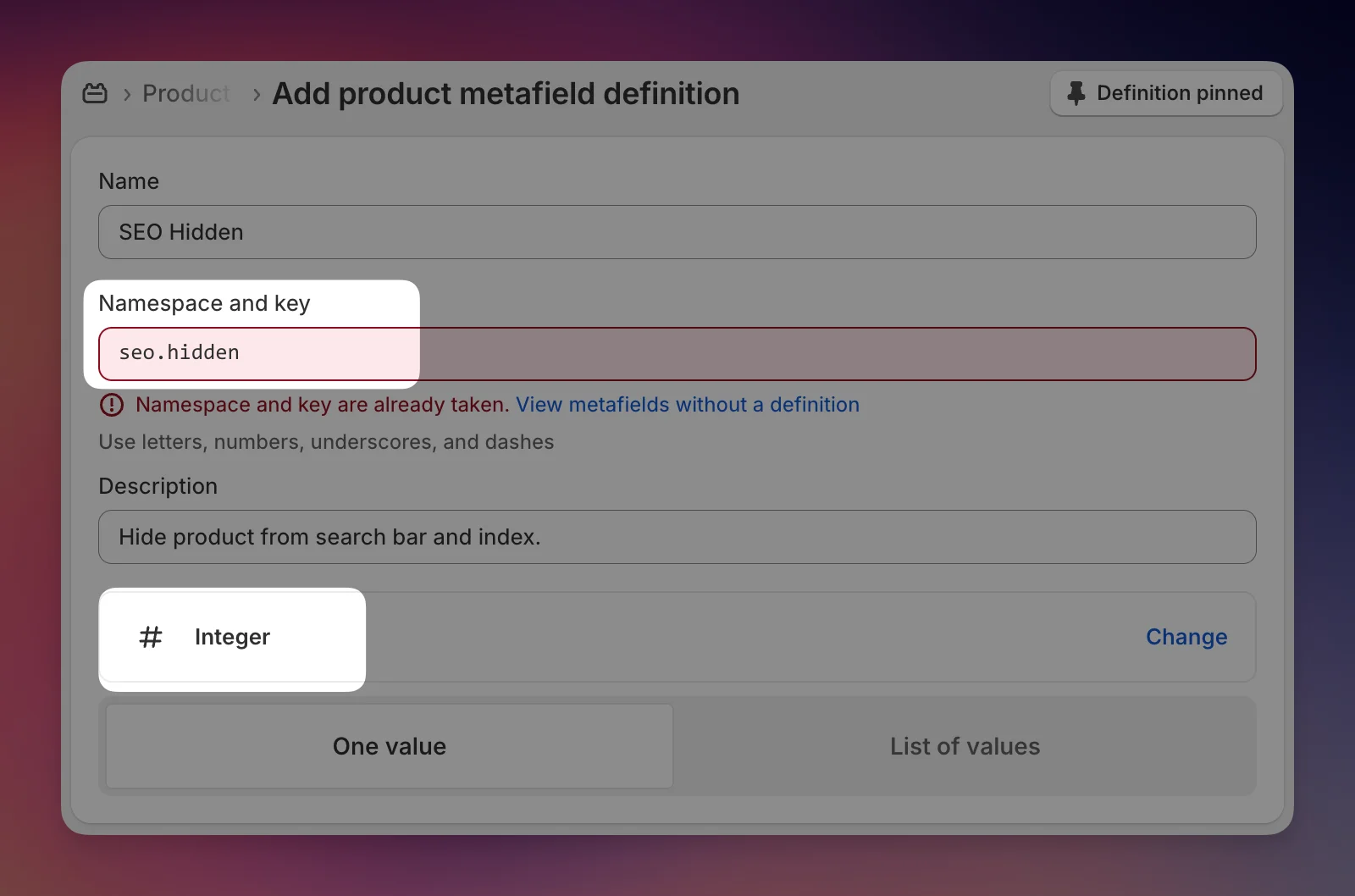
Now click Save in the save bar at the top
3. Set the Metafield Value on the Product
Next, you'll need to set the value of the seo.hidden metafield for the addon products, gifts etc that you want to hide from search.
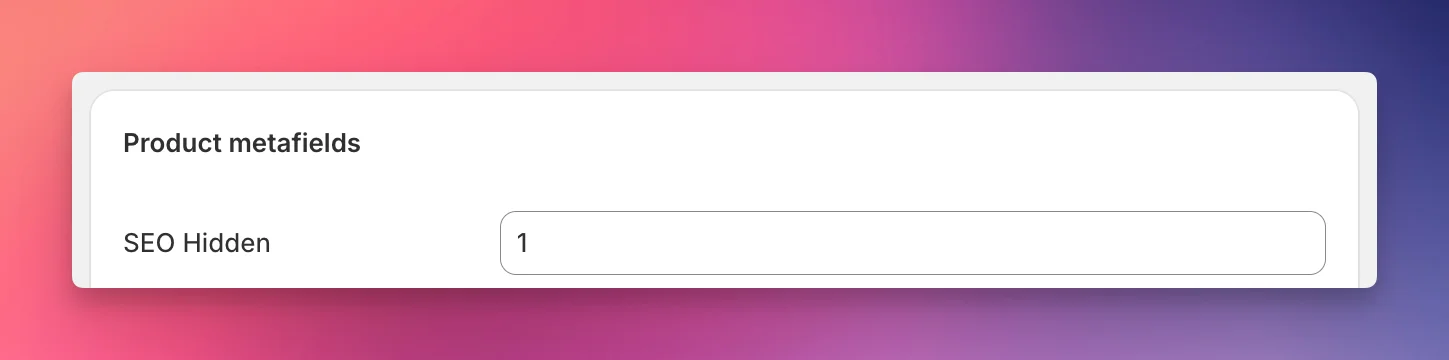
In your Shopify Backend, go to "Products" and locate the addon product. Click on it to open the product details page. Scroll down to the "Product Metafields" section, where you will find the metafield you just created. Set its value to "1". Then save the product.
4.Optional: Verify that the Product is Hidden
Wait a few minutes and the product should be hidden.
To confirm that the addon product is hidden from search and SEO, visit the product page on your storefront. In the page source code, you should see the following meta tag:
<meta name="robots" content="noindex, nofollow">
This tag instructs search engines not to index the page or follow any links on it, effectively hiding the product from search results and SEO.
Additionally, you can test your store's search functionality to ensure the addon product doesn't appear in the results.
By following these steps, you can keep your 1-Click Addons hidden from search and SEO while still offering them to customers in EliteCart, providing a seamless and exclusive upselling experience.
Still stuck?
Chat with us and we'll help you get your cart live. Or email contact@elitecart.app.