
Use product tags to customize cart appearance
Hide the quantity selector or the product link for single products in EliteCart by adding a product tag in Shopify.
Last updated
EliteCart reads a few special product tags you add in Shopify. Use product tags to customize cart appearance for single products, for example to hide the quantity selector of a promotional item or remove the link to a product page.
Add a tag to a product
Open the product
In your Shopify admin, go to Products and open the product.
Add the tag
In Tags, add one of the tags below, exactly as written.
Save and check
Click Save, add the product to your cart and open EliteCart.
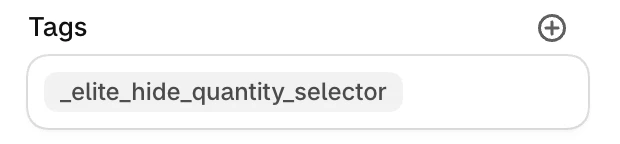
Tags for cart appearance
| Tag | What it does in the cart |
|---|---|
_elite_hide_quantity_selector | Hides the quantity selector, so shoppers can't change the quantity in the cart |
_elite_no_link_to_product | Removes the link from the product image and title |
Gifts and addons added by EliteCart get both behaviours automatically, so you don't need to tag them.
When to hide the quantity selector
- Promotional items or samples that should stay at one per order.
- Upsell items you want to keep at the quantity the shopper added.
- Fixed-quantity products such as kits or subscription boxes.
_elite_hide_quantity_selector only hides the selector in the cart. Shoppers can still add the same product again from its product page. To hide every quantity selector in your cart, use Custom CSS instead of tagging each product. See Custom styling with CSS and AI.
Hide the selector for one cart line only
If the selector should only be hidden when a product is added in a certain way, add the line item property __eliteHideQuantitySelector with any value (for example true) when adding it to the cart. EliteCart then hides the selector for that line only.
When to remove the product link
Use _elite_no_link_to_product for products whose page shoppers shouldn't visit, often together with _elite_hide_quantity_selector.
Other tags EliteCart reads
| Tag | What it does | Read more |
|---|---|---|
_elite_block_page | Redirects visitors away from the product page | Block the cart page and product pages |
_elite_exclude_from_reward_calculation | Doesn't count the product toward reward thresholds | Excluding products from reward calculation |
Still stuck?
Chat with us and we'll help you get your cart live. Or email contact@elitecart.app.