
Prices and currencies in the cart
See how each price layout and currency option looks in the cart, and pick the one that is clearest for your customers.
Last updated
EliteCart shows prices in the same currency format as the rest of your store. This article shows, with examples, the few settings that change how prices and currencies look in the cart, and where to find them.
Currency format
The cart uses your store's currency formatting from Shopify, so prices look the same in the cart as on your product pages. To change the format for your whole store, change it in your Shopify settings.
In the cart summary you can add the currency code to the totals with Use ISO currency (e.g. "USD") under Cart designerCart summary. The amounts in the cart summary then show as "$50.00 USD" instead of "$50.00". Turn this on if you sell in several currencies that share a symbol, such as US and Canadian dollars. Shopify's checkout always shows the currency code with the total.
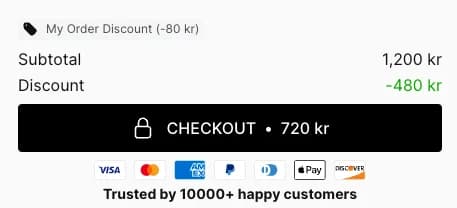
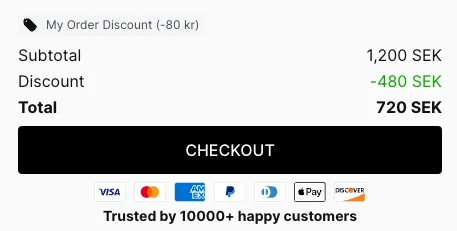
Savings in the cart summary
Under Total savings in Cart summary you choose whether the total discount shows as an amount, as a percentage, or whichever looks bigger. All options are explained in Cart summary settings.

Price layout on each product
Under Cart designerProduct displayPrice layout you choose how prices show on each product row.
Full: Unit price and line total shows the price per item and the total for the row.
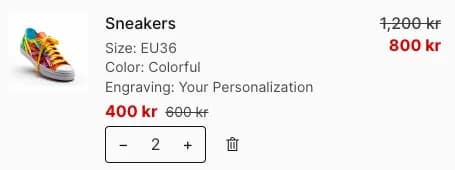
Reduced: Unit price only shows only the price per item.
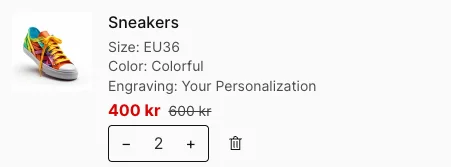
Compact 1: Unit price only (recommended) shows the price per item in a more compact row.
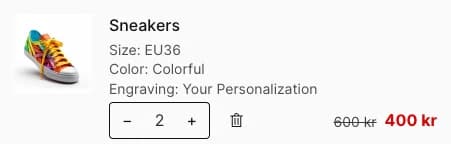
Compact 2: Line total only shows only the total for the row (price × quantity).
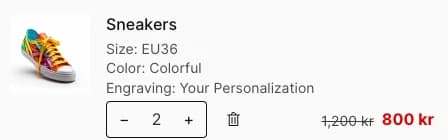
Compare-at prices
With Show "compare-at price" instead of "price" (recommended) under Product display → Advanced price settings, a product that has a compare-at price in Shopify shows that as its original price, crossed out next to the price the customer pays. The difference also counts toward the savings shown in the cart. This raises the perceived value of each product, but note it is not how Shopify shows prices by default.
Unit prices
To show a price per unit, such as "$3 / kg", set Unit price to Show under Product display → Product information. The unit price must be set on the product in Shopify.
Still stuck?
Chat with us and we'll help you get your cart live. Or email contact@elitecart.app.