
How to: Find a product's ID and variant IDs
Learn how to find a product ID and variant ID
Last updated
Find a product ID
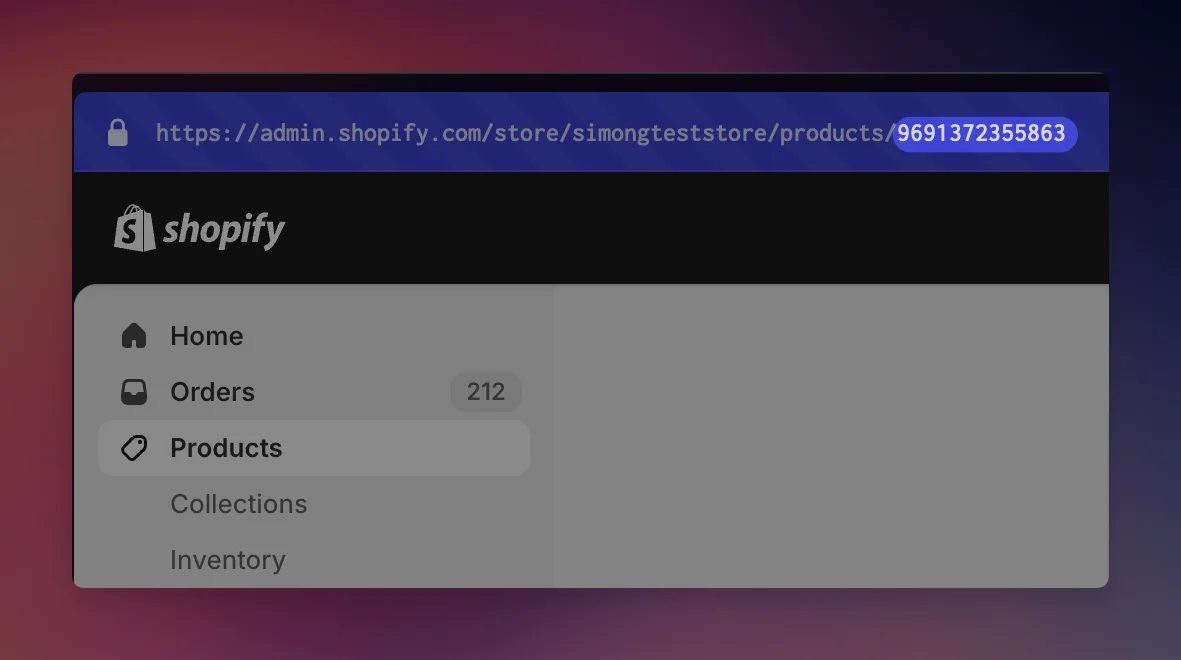
Finding a product ID is simple. Open the product page in your Shopify Admin. Then copy the last number from the URL. That is the product ID.
Find a variant id for a product with multiple variants
If your product has multiple variants, go to the variant page and extract the variant ID from the URL:
-
Open the product page in your Shopify admin.
-
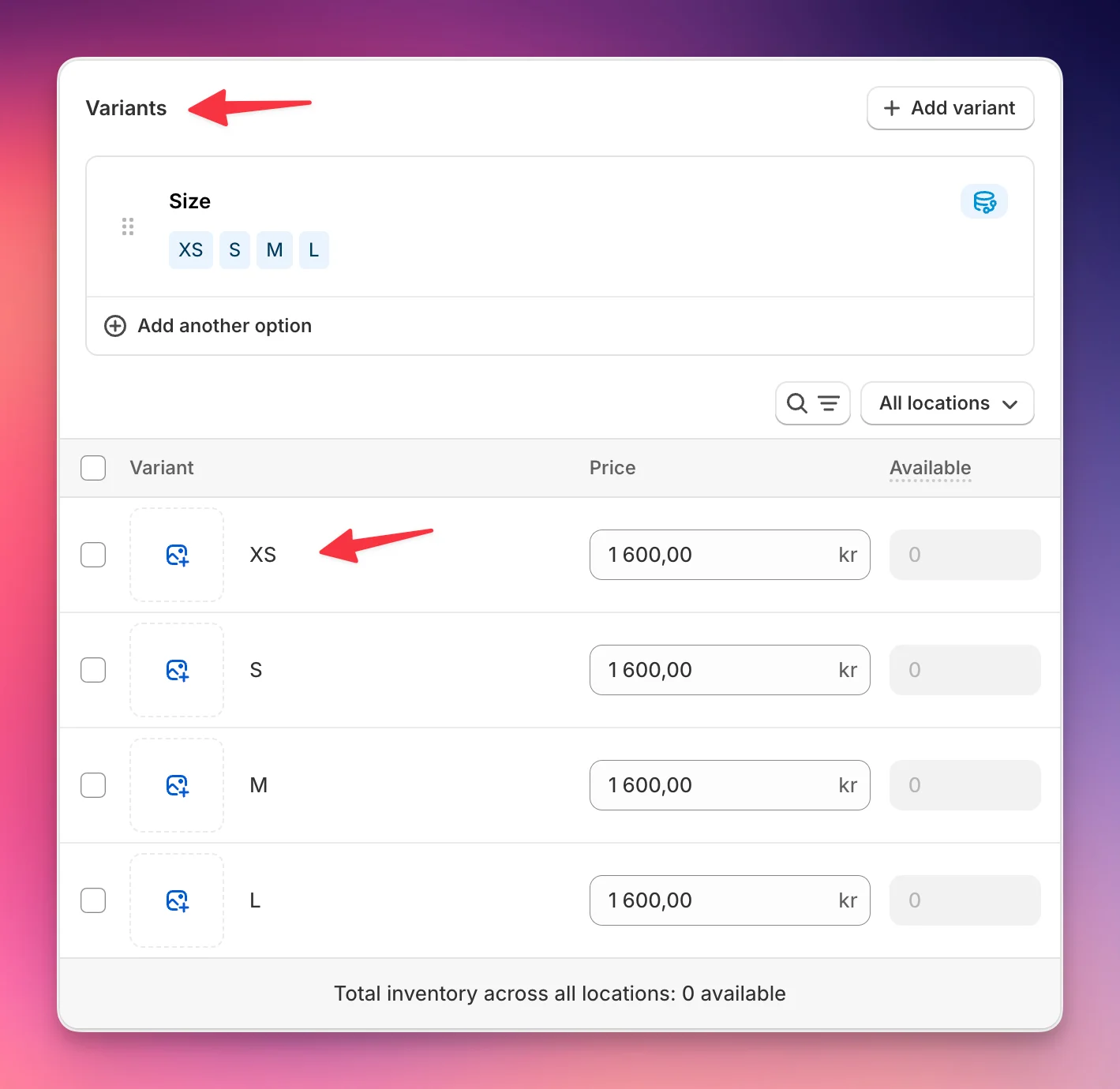
Find the Variants section
-
Click on the variant you would like to have, e.g. XS
-
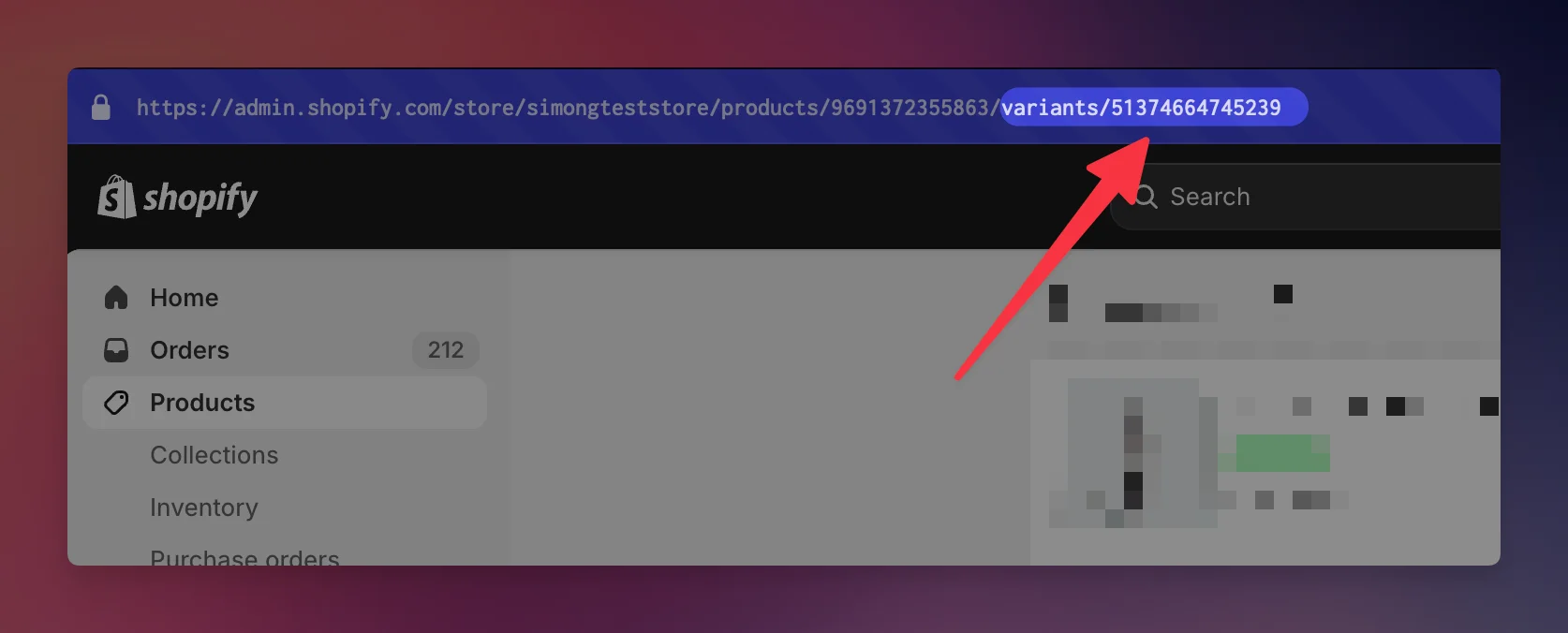
Copy the last number, which follows variants/
Make sure it’s not the number following products/
Find the variant ID for a product without variants
Even if your product does not have any variants, in reality it always has one variant. Finding it can be a bit tricky though. This is how you do it:
- Visit the product page in Shopify admin, e.g. https://admin.shopify.com/store/myStore/products/10028233720087
- In the URL-bar, add .json to the end, e.g. https://admin.shopify.com/store/myStore/products/10028233720087.json
- Load the page. You will see a bunch of text (this format is called Json).
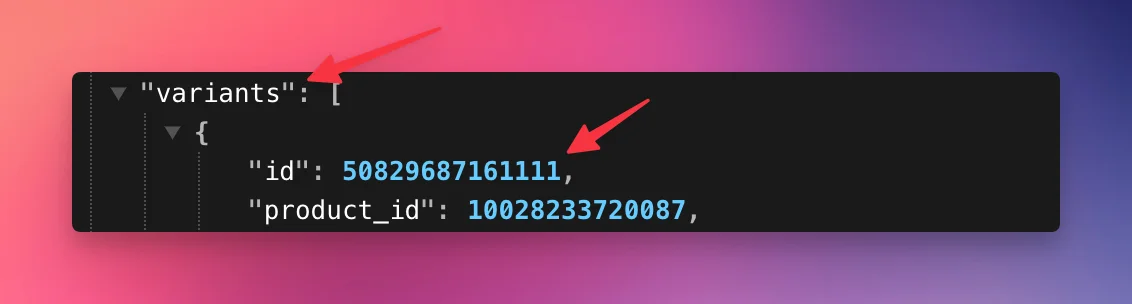
- Find “variants”: [ . Then copy the “id” from below
- Important: Do not copy the product_id, but id). In below example this is 50829687161111.
Still stuck?
Chat with us and we'll help you get your cart live. Or email contact@elitecart.app.