
How to Prevent Customers from Stacking Free Gifts in Shopify

Free gift promotions are one of the most effective ways to increase average order value. But they come with a risk most merchants don't think about until it's too late: customers figuring out how to claim gifts they haven't earned. Preventing customers from stacking free gifts in Shopify is a problem that grows with your store - and solving it early saves real money.
The tactics range from subtle to brazen. A customer adds items to cross your gift threshold, claims the free product, then removes items before checkout. Another adds the same gift product multiple times. Someone applies a discount code that drops their total below the threshold but keeps the gift in their cart. These aren't hypothetical - they happen daily in Shopify stores running gift promotions without proper safeguards.
How Gift Stacking Actually Happens

Understanding the most common abuse patterns helps you close the gaps before customers find them.
Threshold manipulation
The most widespread tactic. A customer adds $100 worth of products to hit your gift threshold, the gift appears in their cart, and then they remove $40 worth of items. If your cart doesn't revalidate the threshold in real time, they proceed to checkout with a gift they no longer qualify for.
Quantity inflation
A customer changes the gift product quantity from 1 to 3. Without quantity controls, they're claiming three free products instead of one. Especially costly when your gift products have real fulfillment costs.
Discount code stacking
A shopper's cart totals $105, qualifying for your $100 gift threshold. They apply a 20% discount code at checkout, dropping their total to $84 - but the gift stays because it was added before the discount.
Multi-reward exploitation
If you run tiered rewards - say, a sample set at $50 and a full-size product at $100 - a customer at $105 might claim both gifts, then drop their cart to $55. This is especially problematic if you let customers choose their own gift, since they'll pick the highest-value option. Without enforcement, they walk away with a premium gift they didn't earn. EliteCart's flexible rewards system supports up to 20 reward tiers with conditions and scheduling - and every tier needs the same protection.
Why Free Gift Stacking Costs More Than You Think
A PYMNTS/Forter study found that 89% of retailers have experienced some form of customer policy abuse - including promotion manipulation, return fraud, and false item-not-received claims. And it's not just the cost of the gift itself - there's fulfillment, shipping, and the operational overhead of processing orders that shouldn't have qualified.
If your gift product costs $5 to fulfill and 50 orders per month slip through with unearned gifts, that's $250 in direct losses - before accounting for the margin impact on items those customers removed from their carts.
The stores most at risk are the ones doing everything else right. They've set up compelling gift-with-purchase promotions, configured a reward bar that motivates spending, and they're seeing real AOV lifts. But without enforcement, a percentage of that lift leaks back out through abuse.
The Two Layers of Gift Protection
Effective gift-stacking prevention requires protection at two points: in the cart and at checkout. Cart-side logic handles the common cases. Checkout enforcement catches everything else.
Cart-side validation
Your cart should continuously recheck whether a customer qualifies for their gift. If someone removes items and drops below the threshold, the gift should be removed automatically - not left sitting in the cart for checkout.
This handles the majority of abuse because most manipulation happens in the cart. Real-time threshold recalculation stops this pattern cold.
Smart cart-side validation also handles:
- Gift product exclusion - Gift products themselves don't count toward the threshold. A customer can't add the gift, then use the gift's value to maintain eligibility.
- Gift card exclusion - Shopify gift cards are excluded from threshold calculations, preventing customers from buying gift cards to artificially inflate their total.
- Quantity limits - The gift quantity is locked at one. Customers can't increase it to claim multiples.
Checkout enforcement

Cart-side validation has a limitation: it runs in the browser. A determined shopper can bypass it - for example, by using Shopify's direct checkout URL to skip the cart entirely. Server-side checkout enforcement closes this gap.
A checkout validation function runs when the customer attempts to complete their purchase, checking the cart total against your gift thresholds and blocking checkout if they don't qualify. It can't be circumvented because it runs on Shopify's servers, not in the browser.
EliteCart offers two checkout enforcement options:
-
Gift eligibility enforcement (all Shopify plans) - A Shopify Function that validates gift thresholds at checkout. If the cart doesn't meet the requirement, checkout is blocked with a clear message. Enable it in Cart Designer → Rewards → Settings & design → Gift eligibility enforcement. For setup details, see our help article on enforcing gift validity at checkout.
-
Automatic gift application (Shopify Plus) - A Cart Transform function that keeps gift products at their regular catalog price and discounts them to $0 only when the threshold is met. If a customer manipulates their cart at checkout, the gift reverts to full price. Increasing the gift quantity above 1 also causes it to revert to full price. Details are in our help article on auto-discount gifts for Shopify Plus.
These two functions are mutually exclusive - you'll use one or the other depending on your Shopify plan and preference.
Excluding the Right Products from Threshold Calculations
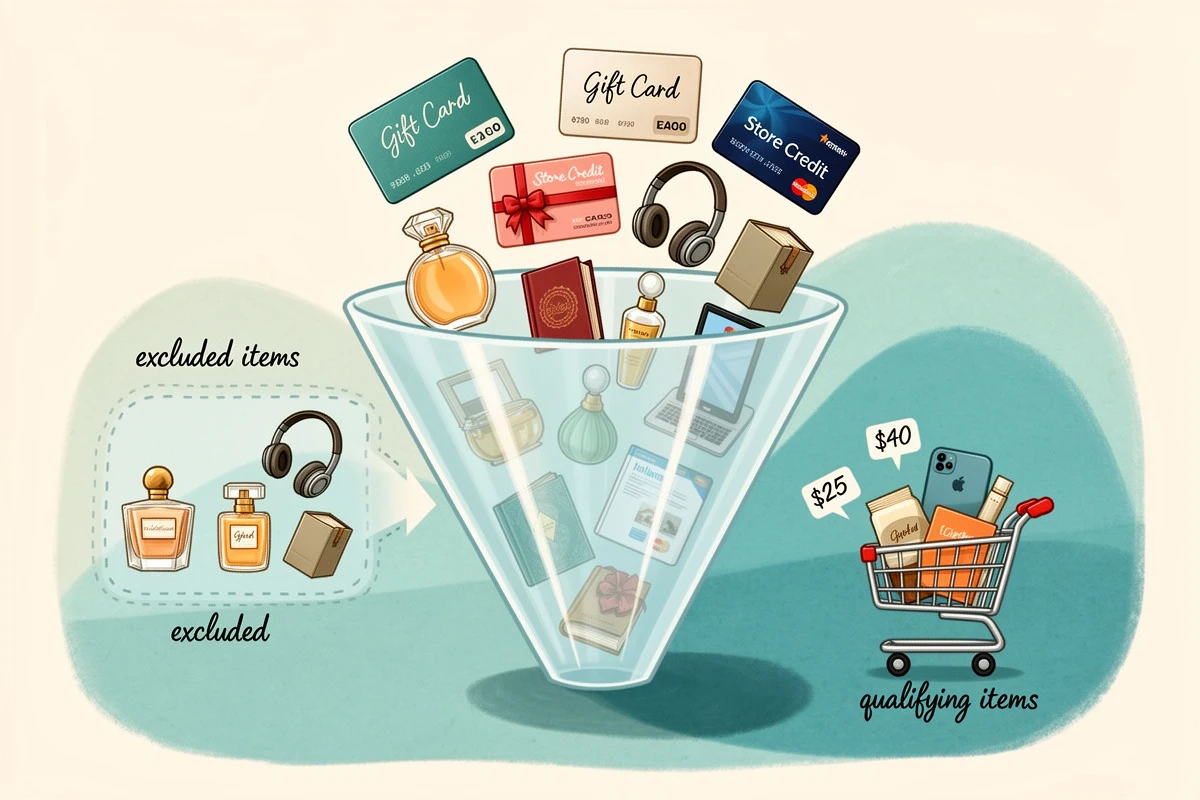
A subtler form of gift abuse involves using non-qualifying products to inflate the cart total. Without proper exclusions, a customer could add a $100 gift card to reach a $100 gift threshold - getting a free product while the gift card retains its full value.
Smart exclusion rules prevent this:
- Gift products are automatically excluded from threshold calculations. The gift itself can never contribute to its own eligibility.
- Gift cards are excluded because they retain their full value after purchase - they're not a real "spend."
- Specific products can be excluded by tagging them in Shopify - useful for digital products, deposits, or any item that shouldn't count toward rewards. See our help article on excluding products from reward calculations.
These exclusions apply consistently across both cart-side and checkout enforcement, so there's no gap between what the cart shows and what checkout allows.
Handling Discounts That Drop Below the Threshold
The trickiest edge case in gift validation is discount codes applied at checkout. A customer qualifies at full price, then enters a coupon that drops their total below the threshold.
The ideal solution: let customers apply discounts in the cart rather than at checkout. When a discount is applied in the cart, the threshold recalculates immediately against the discounted total, and the gift is removed if the customer no longer qualifies. EliteCart's discount box enables this - customers enter their code in the cart drawer, and gift eligibility updates in real time.
If customers do apply discounts at checkout, the checkout enforcement function works with pre-discount totals (a Shopify platform limitation). In most cases this isn't an issue - automatic and app-based discounts are already reflected in the cart before checkout. The edge case is manual discount codes entered only at checkout. For stores where this is a concern, encouraging in-cart discount entry through a visible discount field is the most effective mitigation.
A Quick Checklist for Gift-Proof Promotions
Before launching or auditing your next gift-with-purchase campaign, run through these safeguards:
- Enable checkout enforcement - Either gift eligibility enforcement (all plans) or automatic gift application (Shopify Plus) under Cart Designer → Rewards → Settings & design.
- Verify gift products are excluded - Confirm that gift products don't count toward their own threshold.
- Exclude gift cards - This happens automatically, but verify if you sell gift cards.
- Exclude non-qualifying products - Tag any products that shouldn't count toward rewards (digital items, deposits, etc.).
- Add a discount field to the cart - Letting customers apply codes in the cart triggers real-time threshold recalculation.
- Test the abuse scenarios - Before going live, try the manipulation tactics yourself: add items, claim the gift, remove items. Verify the gift disappears and checkout blocks if needed.
- Monitor qualification rates - If your cart analytics show a qualification rate much higher than expected, audit for potential loopholes.
Free gift promotions should drive revenue, not leak it. The merchants who get the most out of gift-with-purchase aren't just picking compelling products and setting the right thresholds - they're making sure every gift that ships was actually earned. Set up both cart-side and checkout enforcement, configure your exclusions, and test the edge cases. The result is a promotion that motivates real spending without creating opportunities for abuse.