
How to Offer Different Free Shipping Thresholds by Country in Shopify
A $75 free shipping threshold works for your US customers. But when a shopper in London sees "You're $12 away from free shipping," two things happen: they have to mentally convert the currency, and they lose trust in whether the threshold even applies to them. If you sell internationally, a single free shipping threshold creates friction for every customer outside your home market.
The fix is straightforward - set different free shipping thresholds by country so each customer sees a goal in their own currency. Here's how to do it using Shopify Markets, and how to make sure your cart experience matches.
Why a Single Threshold Fails for International Stores
Shipping costs are the number one reason for cart abandonment, and that problem gets worse when customers can't tell what they'll actually pay. A flat "$75 for free shipping" threshold creates several issues for international shoppers:
- Currency confusion. A customer in Germany sees a dollar amount and has to estimate the conversion. That mental math adds friction right when you need them to add another item.
- Mismatched economics. Shipping to the UK costs you different amounts than shipping domestically. A threshold that protects your margins in one market might be too high or too low in another.
- Eroded trust. Displaying a foreign currency signals that the store wasn't built with the customer's market in mind. Localized pricing is consistently cited as one of the top factors in cross-border conversion, and showing the wrong currency works against it. The same applies to cart language and translations - every mismatch erodes confidence.
A growing share of global shoppers now buy from stores outside their home country, so these aren't edge cases - they're a core part of your revenue.
How Shopify Markets Handles Currency and Shipping
Before configuring thresholds, it helps to understand how Shopify handles international shipping behind the scenes.
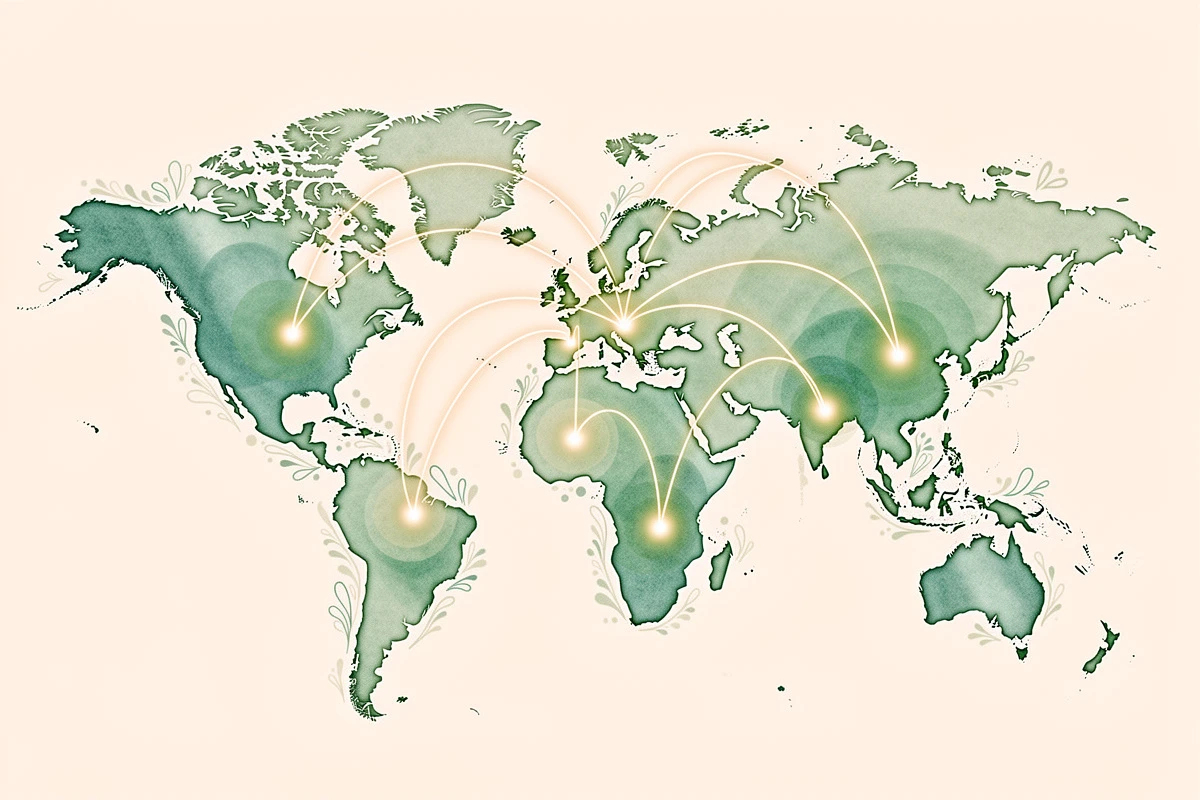
Shopify Markets lets you define groups of countries as markets, each with its own currency, pricing, and shipping rules. When a customer visits your store, Shopify detects their location and shows prices in the local currency using either automatic conversion rates or fixed prices you set manually.
For shipping, you create shipping zones - groups of countries that share the same rates. Within each zone, you can set conditions like "free shipping on orders over €80." If a zone's countries all share a currency (like EU countries using the euro), you can define the threshold in that market currency directly. Otherwise, Shopify uses your store's base currency and converts automatically.
This means you have two options for international free shipping:
- Automatic conversion - Set one threshold in your base currency and let Shopify convert it. Simple, but the threshold shifts with exchange rates (your UK customers might see £64.23 one day and £65.87 the next).
- Fixed market thresholds - Set specific thresholds per market in local currency. More work to set up, but your customers always see clean, round numbers.
For most stores selling in multiple regions, the second approach is worth the extra setup.
Step by Step: Setting Up Country-Specific Free Shipping in Shopify
Here's how to configure different free shipping thresholds for your key markets.
1. Set up your markets
In Shopify Admin, go to Settings → Markets. Create a market for each region where you want a distinct threshold. Common setups include:
- United States - primary market
- European Union - countries sharing the euro
- United Kingdom - separate market with GBP pricing
- Canada - separate market with CAD pricing
If you haven't already, activate each market and enable its local currency.
2. Create shipping zones per market
Go to Settings → Shipping and delivery and open your shipping profile. For each market, create a separate shipping zone:
- Click Create shipping zone
- Select the countries for that zone (e.g., United Kingdom only)
- Add your shipping rates - for example:
- Orders under £70: £5.99 flat rate
- Orders £70 and above: Free shipping
Repeat for each market with its own threshold. For EU countries, you can group them in one zone and set the threshold in euros.
Important: A country can only belong to one shipping zone within a profile. If the UK is already in a broader zone, remove it before creating a dedicated UK zone.
3. Verify the checkout experience
Place a test order from each market to confirm customers see the correct currency and that free shipping kicks in at the right threshold. Use Shopify's market preview tools to simulate different locations.
Matching Your Cart's Free Shipping Bar to Your Thresholds

Setting up shipping zones handles the checkout side, but there's a gap most stores overlook: the free shipping progress bar in your cart.
If your progress bar still shows "$75 away from free shipping" to a UK customer who actually needs to spend £70, you're creating confusion. The cart tells them one number, checkout applies another, and trust takes a hit.
With EliteCart's flexible rewards system, you can match your reward bar thresholds to your Shopify market configuration:
- Go to Cart Designer → Rewards
- On the Rewards tab, set up a reward for each market
- For each reward, open the Shopify Markets section and select the target countries - use the preset groups (EU Countries, North America, UK & Ireland, and others) for faster setup
- Set a market-specific threshold in the local currency (e.g., £70 for the UK, €80 for the EU)
- Set the market visibility so each reward only appears for its target countries
The result: a US customer sees "You're $12 away from free shipping," a UK customer sees "You're £8 away from free shipping," and an EU customer sees "You're €15 away from free shipping." Each message is accurate, localized, and matches exactly what happens at checkout.
For a detailed walkthrough, see our help article on shipping thresholds for multiple markets.
Free Shipping Threshold Examples for Common Market Setups
US + EU + UK (Most Common)
| Market | Threshold | Currency |
|---|---|---|
| United States | $75 | USD |
| European Union | €80 | EUR |
| United Kingdom | £70 | GBP |
Set each as a separate reward with market targeting. The EU reward covers all eurozone countries in one rule.
North America + Rest of World
| Market | Threshold | Currency |
|---|---|---|
| US & Canada | $75 / C$95 | Local currency |
| Rest of World | $100 | Store currency (auto-converted) |
Use a default threshold of $100 for the "rest of world" market, then create market-specific overrides for your primary regions.
Tiered by Region with Multiple Rewards
Combine market-specific thresholds with tiered rewards for an even stronger setup:
- US: Free shipping at $75, free gift at $150
- EU: Free shipping at €80, free gift at €140
- UK: Free shipping at £70, free gift at £120
Each market gets its own ladder with thresholds that make sense for local purchasing power and shipping costs.
Tips for Choosing the Right Free Shipping Threshold per Market
Start with your shipping costs. Your threshold should cover the average shipping cost for that region with room to spare. If shipping to the UK costs you £6, setting the threshold at £70 on orders averaging £55 gives you healthy margin.
Use round numbers. £70 is more motivating than £67.43. Customers respond better to clean goals, even if automatic conversion would produce a slightly different number.
Account for purchasing power. A $75 threshold might be perfect in the US but too aggressive in markets with lower average order values. Check your analytics per market and set thresholds 15-25% above each market's AOV.
Review quarterly. Exchange rates shift, shipping costs change, and your product mix evolves. Revisit your thresholds every quarter to make sure they're still hitting the sweet spot.
Don't forget "rest of world." Even if you only localize for your top three markets, set a sensible default threshold for everyone else. A single base-currency threshold with automatic conversion handles the long tail without per-country configuration.
Set up your market-specific thresholds today. Configure your Shopify shipping zones with localized free shipping conditions, then match your cart's reward bar so every customer sees an accurate, motivating goal in their own currency. For step-by-step guidance, check out our reward bar setup guide.