
NEW: Schedule Settings
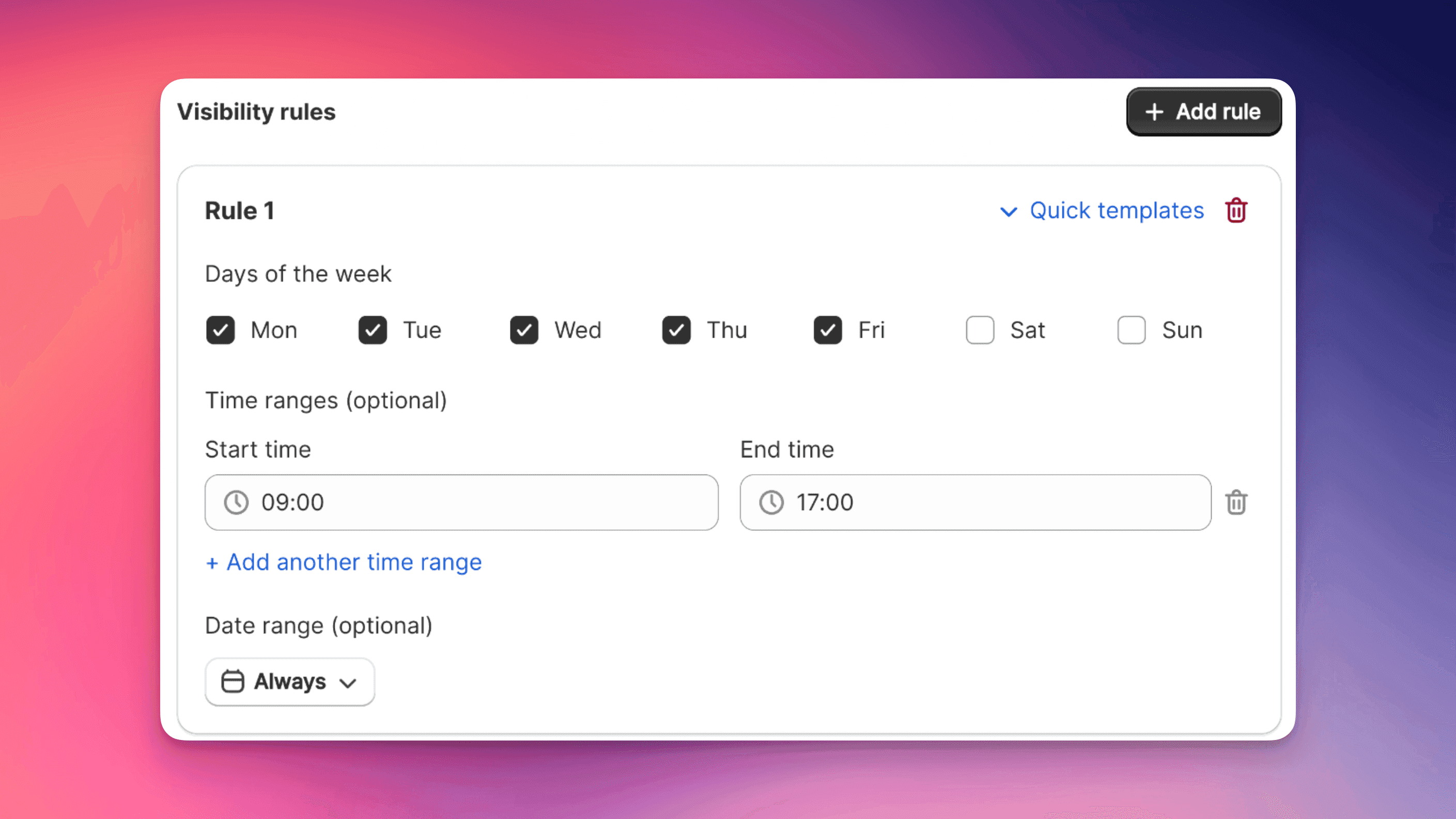
Feature Overview
The new EliteCart Schedule Settings allow you to automatically control when add-ons and announcement banners are visible for your customers. Based on their store's timezone, with support for complex weekday-based and time-based rules, as well as date ranges. Learn more about using announcement banners effectively.
🕐 New Feature: Schedule Settings for Cart Components
We've just shipped a powerful scheduling system that lets you control exactly when cart add-ons and banners appear throughout the day!
Highlights:
- Time-based visibility - Show/hide cart components based on day, time, and date ranges
- Timezone smart - Automatically uses the store's timezone (handles DST too!)
- Quick templates - Pre-built schedules for business hours, weekends, evenings
Perfect For:
- 📦 Same-day shipping cutoffs (hide after 2 PM)
- 🚚 Weekend delivery notices
- ⏰ Happy hour flash sales (3-5 PM daily)
- 🎁 Seasonal offerings (gift wrap in December) - see our guide on maximizing revenue with seasonal upsells
- 💼 B2B hours (bulk discounts 9-5 weekdays)
- 🌙 Night owl specials
How It Works:
You can set rules like "Show express shipping Monday-Friday until 2 PM" and the system automatically handles it.
Available now for Professional plans and above.
Find it in your Cart Designer within the Addon settings and Announcement Banner.