
What Is an Order Bump? 9 Order Bump Examples for Shopify Stores
An order bump is a small, optional add-on that a shopper can accept with a single tick of a checkbox, shown right before they pay. Think "Add shipping protection for $2.95" or "Gift wrap this order for $4". No new page, no product options to pick, no second decision to think through. One click, and the order total goes up a little.
This guide covers how an order bump differs from an upsell or cross-sell, what makes a good one, and 9 order bump examples you can copy for your Shopify store.
What Is an Order Bump?
An order bump is a low-priced, instantly understandable extra offered at the last step before payment, added with one click and no configuration. Three traits define it:
- Last-moment placement. It appears in the cart or checkout, after the shopper has already decided to buy.
- One-click acceptance. A checkbox or toggle, not a product page or a variant picker.
- Small relative to the cart. It should feel like a rounding error next to the order, not a second purchase.
Order Bump vs Upsell vs Cross-Sell vs Add-On
These terms get used interchangeably, but they describe different offers. Here is how they compare:
| Offer type | What it asks | Example | Typical decision effort |
|---|---|---|---|
| Upsell | Buy a better or bigger version | 1 kg bag instead of 500 g | Medium - compares two products |
| Cross-sell | Buy a related product too | Matching belt for the jeans | Medium - evaluates a new product |
| Add-on | Add a service or extra to this order | Gift wrap, express handling | Low |
| Order bump | Tick one box before paying | "Protect this order for $2.95" | Very low - one yes or no |
In practice, most order bumps are add-ons presented in the bump format. The difference between an order bump and an upsell is the effort: an upsell asks the shopper to compare and choose, while a bump asks for a single yes or no. If you want the deeper split between the other two motions, see cross-sell vs upsell.
What Makes a Good Order Bump?
A good order bump passes four tests. If your idea fails one of them, it probably belongs in your product recommendations instead.
- Low price relative to the cart. A common rule of thumb is to keep the bump well under the typical order value, often in the 5 to 20% range. A $6 extra on a $60 cart feels easy. A $40 extra on a $60 cart is a second purchase.
- Instantly understandable. The shopper should know what they get from the title alone. "Priority processing - ships today" works. "Premium bundle upgrade" does not.
- No configuration needed. No sizes, colors, or scents to pick. If the shopper has to choose a variant, it is a cross-sell, not a bump.
- Relevant to almost every order. The best bumps fit any cart in your store, not just one product.
There is also a trust test. Unexpected extra costs are the top fixable reason shoppers abandon checkout, cited by 39% of US shoppers in Baymard Institute's research. A bump that looks like a hidden fee will hurt you. A bump the shopper actively chooses will not.
9 Order Bump Examples for Shopify Stores
1. Shipping protection
Best for: Any store shipping physical goods, especially higher-value orders.
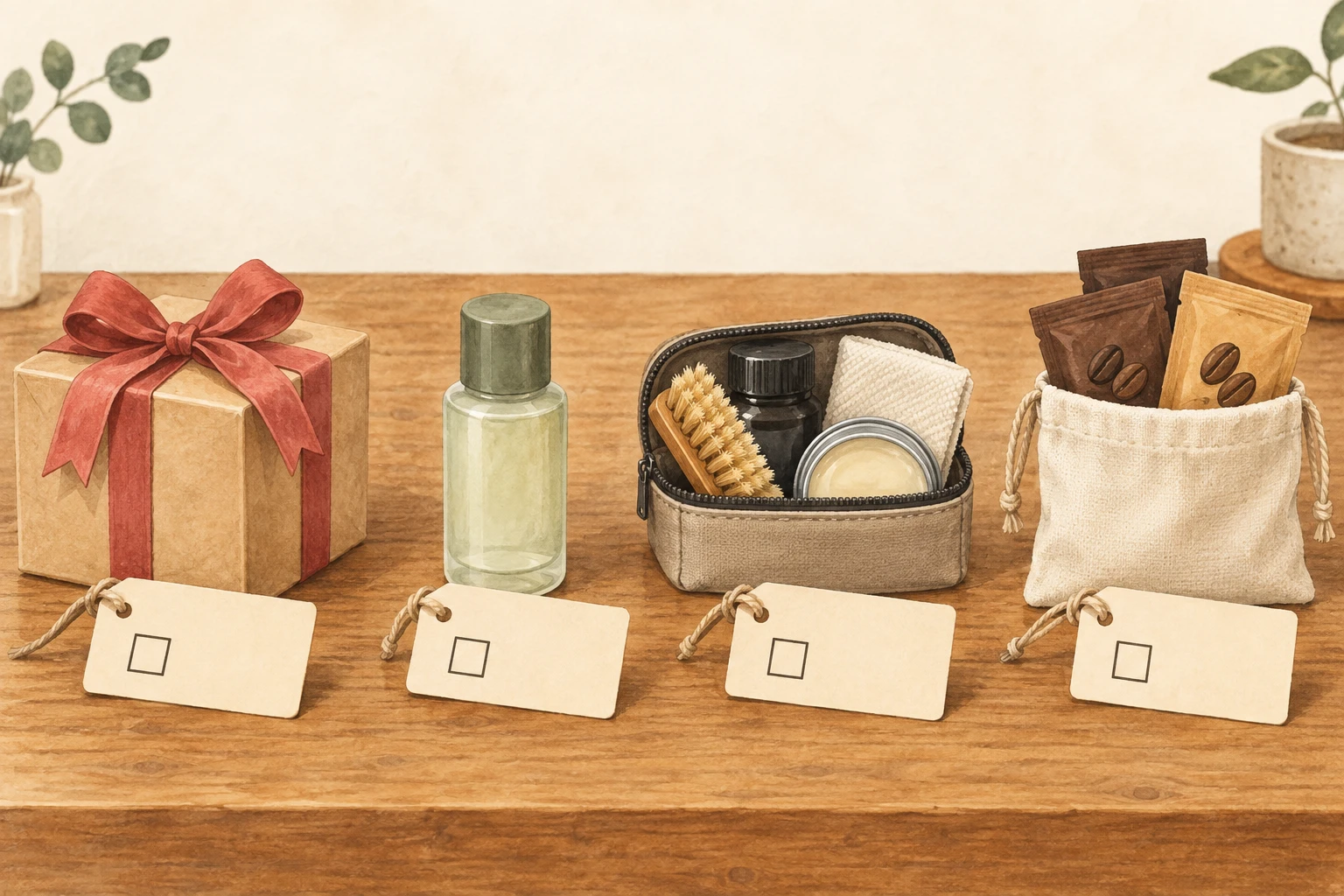
Protection against loss, theft, or damage in transit is the most common order bump there is. It is relevant to every order, and many stores price it as a small percentage of the cart so it scales with order value. We cover pricing and messaging in depth in shipping insurance as an addon.
2. Gift wrap
Best for: Jewelry, candles, beauty, toys, and anything bought as a present.
Gift wrap solves a real problem at the exact moment the shopper thinks about it. A flat price and one clear line ("Gift wrap with a handwritten card") is all the bump needs.
3. Extended warranty
Best for: Electronics, small appliances, bikes, and tools.
An extra year of cover is easy to understand and priced well below the product. Keep the terms short and link to the details, because shoppers want to know what "covered" actually means before they tick the box.
4. Travel-size version
Best for: Skincare, haircare, fragrance, and oral care.
A mini version of a product already in the cart is a near-perfect bump: familiar, cheap, and useful for the gym bag or a weekend away.
5. Sample pack
Best for: Coffee, tea, fragrance, and skincare brands with wide ranges.
A small paid sample pack lets the shopper try something new with almost no risk. Sell it as a fixed set ("3 single-origin samples") so there is nothing to configure.
6. Priority processing
Best for: Stores with made-to-order items, custom products, or busy peak seasons.
"Jump the queue - packed within 24 hours" is valuable to shoppers who need an order by a specific date. Only offer it if your team can reliably deliver on it, because a missed priority promise costs more trust than the bump earns.
7. Carbon-neutral shipping
Best for: Sustainable and eco-conscious brands.
A small contribution to offset the delivery's emissions fits naturally with a brand that already talks about sustainability. Be specific about where the money goes, and only make claims you can back up with your offset partner's documentation.
8. Digital guide
Best for: Fitness gear, kitchen equipment, craft supplies, and plants.
A how-to guide, recipe pack, or care plan costs nothing to deliver after it is made, so almost the full price is margin. "Add the 30-day training plan for $5" pairs well with a product the shopper might not yet know how to use.
9. Care kit
Best for: Sneakers, leather goods, denim, furniture, and jewelry.
A cleaning or care kit protects the item the shopper just bought. It is easy to explain ("Keep your sneakers white: cleaning kit, $9"), relevant to the product, and needs no size or color choice.
Where to Place an Order Bump: Cart or Checkout?
Place the order bump where the shopper confirms what they are buying: the cart, the checkout, or both.
- In the cart. The cart (or cart drawer) is where shoppers review their order before heading to checkout, and it is available on every Shopify plan. It is the natural home for most bumps.
- In the checkout. Showing a bump inside Shopify's checkout steps catches shoppers at the very last moment. Note that apps can only add content to Shopify's information, shipping, and payment steps on Shopify Plus, so most stores will rely on the cart.
Whichever you choose, keep the bump next to the order summary or just above the checkout button, and show at most one or two. A stack of five checkboxes turns a quick yes into a form to fill out.
Order Bump Copy Tips
- Lead with the outcome, then the price. "Protect your order from loss and damage for $2.95" beats "Shipping insurance - $2.95".
- Keep it to one line, plus an optional short description. If it needs a paragraph, it is not a bump.
- Show the price in the title. Hiding the cost until after the click erodes trust.
- Link to details for anything with terms. Warranties and protection plans should link to a page with the fine print.
- Never pre-tick the box. Beyond the trust cost, the EU's Consumer Rights Directive requires express consent for extra payments and bans pre-ticked boxes for them.
How to Measure Order Bump Take Rate
Take rate (also called attach rate) is the share of orders that include the bump:
Take rate = orders containing the bump product ÷ total orders in the same period
You can pull both numbers from Shopify's sales reports by filtering on the bump product. Track three things alongside it:
- Revenue per order with and without the bump, to see the real lift.
- Checkout conversion rate before and after launch, to confirm the bump is not creating friction.
- Margin per bump, because a 30% take rate on a break-even gift wrap earns less than a 10% take rate on a digital guide.
Change one thing at a time (price, title, or placement) and give each version a few weeks of orders.
Setting Up Order Bumps With EliteCart
EliteCart's 1-click addons are built for exactly this format. In Cart designer → Addons & insurance, you can enable up to two addons that appear in the cart drawer as a checkbox or switch. Each addon is a regular Shopify product, so it shows as a normal line in checkout and on the order.
- Choose Custom product for a fixed-price bump like gift wrap, a care kit, or a digital guide.
- Choose Insurance (% of sales) for shipping protection priced as a percentage of the cart total.
- Use the Title field with the
{title}and{price}variables to keep the price visible in the copy. - Use the Schedule and Shopify Markets settings to show a bump only in certain seasons or countries.
Addons do not count toward your reward bar thresholds, so a shopper cannot reach free shipping just by ticking a bump. On Shopify Plus, the Add-on module in Checkout places the same kind of one-click offer inside the checkout itself. For a step-by-step walkthrough, see Setting Up Your First 1-Click Addon, and for more ideas, read 1-click addons: the untapped revenue stream in your cart.
Order Bump FAQ
What is an order bump in simple terms?
An order bump is a small extra, like gift wrap or shipping protection, that a shopper can add with one checkbox right before paying.
What is the difference between an order bump and an upsell?
An upsell asks the shopper to switch to a better or bigger product. An order bump adds a small extra to the order they already chose, with a single click and no comparison.
How much should an order bump cost?
Keep it small relative to your typical order. Many stores aim for roughly 5 to 20% of the average cart, but test it against your own take rate and margin.
Can I add an order bump on any Shopify plan?
Yes, in the cart. Adding content inside Shopify's checkout steps requires Shopify Plus.
Pick one order bump from the list above that fits almost every order in your store, write a one-line title with the price in it, and put it in your cart this week. Measure the take rate for a month, then decide whether a second bump earns its place.