
Refills, Filters and Batteries: How to Upsell Consumables and Replacement Parts on Shopify
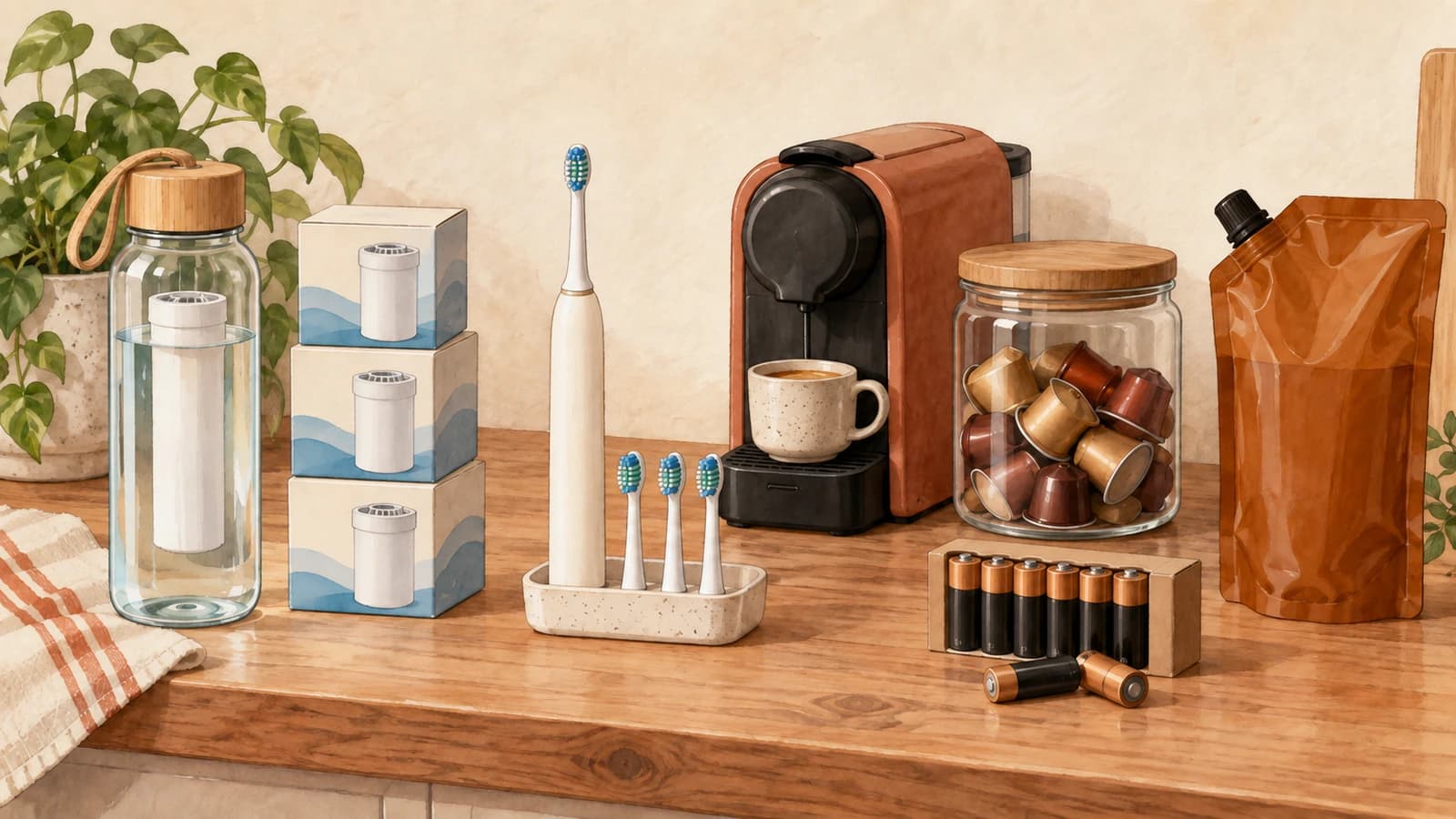
If you sell a device that runs on something, the device is only half the sale. A filter bottle needs cartridges, a coffee machine needs pods, an electric toothbrush needs heads, a diffuser needs refills. The best moment to upsell refills on Shopify is the moment the shopper adds the hardware to the cart, because that is when they are already picturing using it.
Most stores leave that moment empty and hope the customer comes back in two months. This guide covers which consumable to offer, how to make sure it fits the exact model in the cart, how to bundle a starter supply, and how to turn the refill into a recurring order.
What Is the "Razor and Blades" Model for DTC Brands?
The razor and blades model pairs a durable product with a consumable the customer keeps buying. The durable item wins the first order, and the refill earns the lifetime value.
The story is usually told about Gillette, though Harvard Business Review points out the history is messier: Gillette kept razor prices high while its patents lasted and only leaned into cheap handles and paid blades later. The lesson for a Shopify store is simpler. You do not need to sell the hardware at a loss. You need the customer to leave with the first refill in hand, so the second one comes from you and not from a "compatible" generic.
Typical pairings look like this:
- Water bottles and pitchers with replacement filter cartridges
- Coffee and tea machines with pods, capsules or descaler
- Electric toothbrushes with brush heads
- Candle warmers, diffusers and soap dispensers with refills and concentrate
- Cleaning tools with concentrate tablets or spare pads
- Cameras, headlamps and remotes with batteries
- Glasses and optics with lens wipes and cleaning spray
Why the Cart Is the Right Place for a "Don't Forget" Upsell
A "don't forget" accessory upsell works because it answers a question the shopper has not asked yet: "What else do I need to actually use this?" On the product page they are still deciding whether to buy. In the cart the decision is made, and a small, obviously relevant add-on reads as help rather than a pitch.
Consumables also have a replacement interval printed on the box, which gives you a natural reason to offer more than one. Brita, for example, recommends replacing its Stream filters every 40 gallons, or about every two months. The American Dental Association advises a new toothbrush or brush head every three to four months. With intervals that short, saying so in the cart is not pushy. It saves the shopper a second shipping fee.
Three rules keep the upsell helpful:
- Offer the refill, not a catalog. One to three items that belong to the device beat six loosely related products.
- Price it like an add-on. A single refill or a small multipack should cost a fraction of the main item.
- Name the reason. A heading like "You'll need these in 8 weeks" or "Spare heads for your new brush" does more than "You may also like".
How to Sell Replacement Parts With the Main Product (and Get Compatibility Right)
The fastest way to lose trust with a consumable upsell is to recommend the wrong one: a cartridge for the 500 ml bottle when the shopper bought the 1 L model, or pods in a format their machine cannot take. That means a return and an annoyed customer.
So compatibility has to be decided by you, not guessed by an algorithm. The practical setup is one rule per device family:
- Map devices to refills. List every device product (or every variant, if variants take different parts) and the refill or refills that fit it.
- Trigger on the exact variant when it matters. If your 500 ml and 1 L bottles are two variants of one product, a product-level rule would show both filter types. A variant-level rule shows only the right one.
- Restrict the refill's own variants. If a filter product has variants for several models, offer only the variant that matches. A shopper cannot pick the wrong size if the wrong size is not on offer.
- Put specific rules above general ones. A "compatible filter" rule for a specific bottle should win over a store-wide "bestsellers" rule when both could apply.
This is the same if-then thinking described in conditional product recommendation rules, applied to the one case where getting it wrong is costly.
What about refills already in the cart?
Decide this per rule. For a starter set, you usually want the refill to disappear once it is in the cart. For a consumable where a second or third unit is reasonable, like batteries or filter cartridges, it can make sense to keep offering it so shoppers can stock up.
Bundle a Starter Supply
A starter supply turns "device plus one refill" into "device plus the first few months". By the time it runs out, buying from you is a habit.
Ways to structure it:
- A multipack as the upsell. Offer a 3-pack of filters or a 6-pack of heads next to the device instead of a single unit. The per-unit price is lower, so the larger option feels like the smart choice.
- A small discount tied to the device. A modest percentage off the refill, only when it is added alongside the hardware, rewards the combined purchase without training customers to wait for sales. Our guide to upsell discounts covers how to size that discount.
- A named starter kit product. If the combination is common, create it as its own product in Shopify with its own photos, and upsell the kit as an upgrade from the bare device.
Keep it honest: if the device already ships with one filter, position the multipack as "the next six months", not as something required to get started.
Convert the Refill Into a Subscription
A one-time refill is a good order. A subscription is a customer who never has to remember you. Consumables with a known replacement interval are the most natural fit for subscribe-and-save, since the schedule writes itself: every two months for filters, every three for brush heads.
The cart is a strong place to offer that switch, because the shopper is looking at the exact item that will run out. We covered the mechanics in subscription upgrades in the cart.
Two tips specific to consumables:
- Match the frequency to the replacement interval. If filters last about two months, a monthly plan will pile up in cupboards and lead to cancellations. Offer the interval the manufacturer recommends, plus one longer option.
- Subscribe the refill, not the device. Nobody wants a new water bottle every eight weeks. Only the consumable should carry a selling plan.
How to Set This Up With EliteCart
Everything above can be configured in EliteCart without code.
Compatible refills per device. In Upsells → Manual upsells, create one flow per device family. Under Upsell trigger, choose Specific Products when any variant of the device takes the same refill, or Specific Variants when each model needs its own part. Add the matching refills under Upsell products, then click the edit icon on a refill to offer only the compatible variant. Drag the flow above your broader flows in the list, since only the highest matching flow is shown.
"Don't forget" messaging. Under Advanced settings in the flow, set a Flow-specific heading such as "You'll also need" so the refill is framed as part of using the product.
In-cart behavior. Under Products already in the cart, keep the recommended Hide products that are already in the cart for starter refills, or choose Show products even if they're already in the cart for consumables where extra units make sense.
Where it shows. Under Display location, show the flow in the Cart, the Two-step cart, on the Product page, or leave all unchecked to show it everywhere. In Cart Designer → Upsells, the Show variant title instead of product title option makes it clear which model a refill is for, for example "Filter Cartridge - 1 L".
Starter supply discount. In the flow's Promotion card, check Enable promotional pricing for this flow to show strikethrough pricing on the refill. With Require trigger products in cart for discount (Buy X Get Y) enabled, the discount only applies at checkout if the device is still in the cart.
Subscription upgrade. Enable Cart Designer → Subscription upgrades and every eligible line item with a selling plan from your subscription app gets an "Upgrade and save" button showing the savings percentage.
FAQ
How do I upsell refills on Shopify without showing the wrong one?
Create one recommendation rule per device, or per variant if variants take different parts, and list only the compatible refill. Store-wide "related products" logic cannot know which cartridge fits which model.
Should I offer the refill on the product page or in the cart?
Both can work, but in the cart the shopper has already committed to the device, so a short "don't forget" line reads as useful advice.
What is a good discount for a consumable upsell?
Keep it small, or skip it and rely on a multipack's lower per-unit price. The refill is a necessity, so timing and relevance matter more than price.
When should I push a subscription instead of a one-time refill?
When the product has a clear replacement interval and the customer is likely to keep using the device. Filters, brush heads, pods and cleaning concentrate are good candidates. Batteries and lens wipes, which run out on no fixed schedule, usually are not.
Every device you sell is a promise of the next order. Put the right refill next to it in the cart, make sure it fits, and give the customer an easy way to never run out.