
Collection-Scoped Product Recommendations for Seasonal and Category Stores
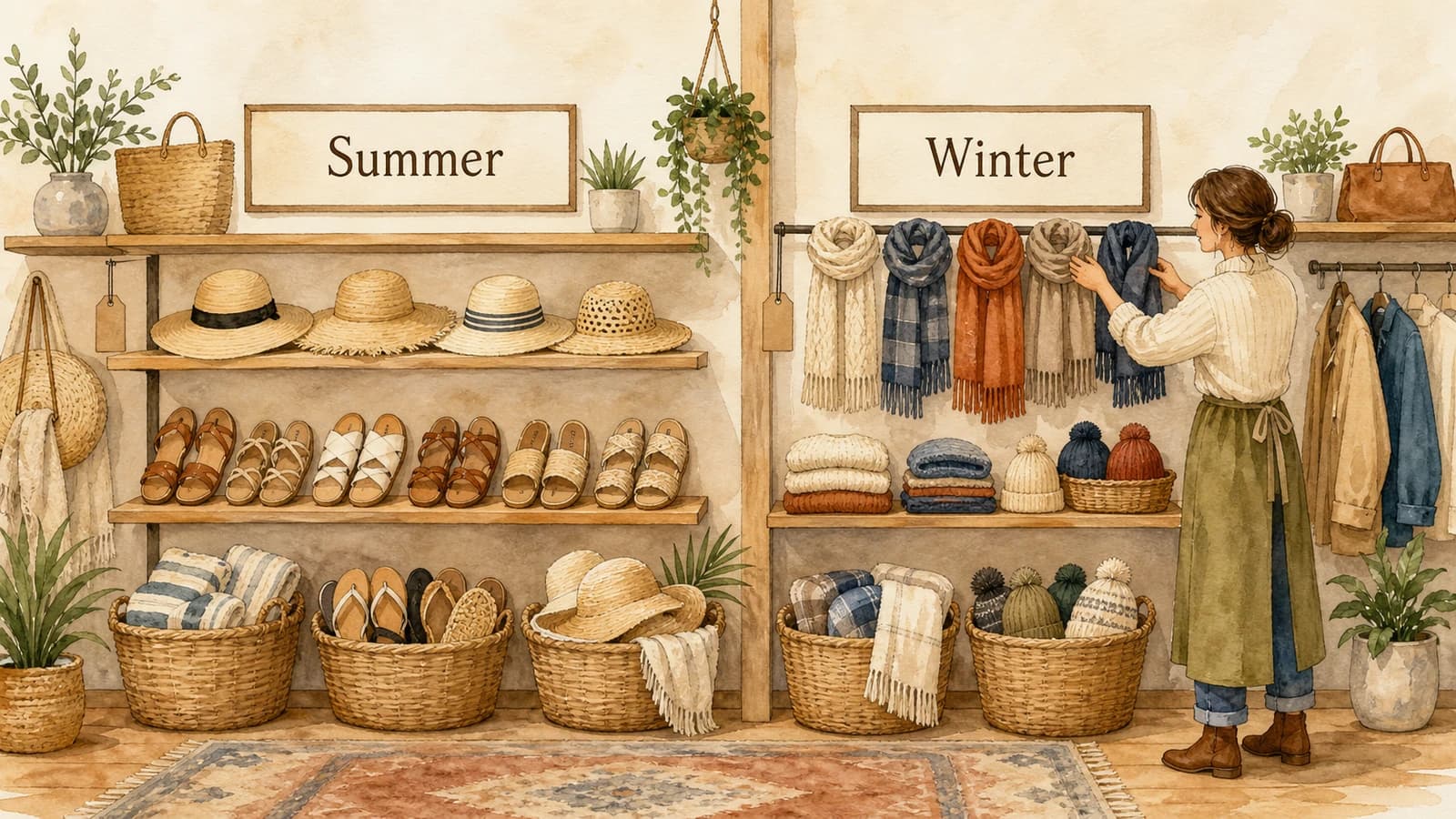
A shopper adds a wool scarf to their cart in December, and your "Recommended for you" widget cheerfully suggests a pair of beach sandals. The math behind that suggestion might be sound - sandals and scarves do sometimes sell together over a full year - but to the customer it just looks broken. This is the core problem that collection based product recommendations solve: they keep your suggestions inside a relevant slice of the catalog instead of pulling from everything you have ever sold.
For stores built around seasons, distinct departments, or separate brand lines, scoping recommendations to a collection is one of the highest-impact merchandising decisions you can make. It is the difference between a cart that feels curated and one that feels like a search engine guessing.
Why Whole-Catalog Recommendations Drift Off-Brand
A recommendation engine trained on your entire order history is, by default, blind to context. It sees that customers buy lots of things, and it surfaces whatever pairs most strongly across the whole store. That works fine for a single-category shop, but it falls apart the moment your catalog contains products that should never appear next to each other.
Common cases where unscoped suggestions go wrong:
- Seasonal rotations. Summer and winter inventory share a store but rarely share a cart. A summer dress and a snow jacket are not a coherent pairing, even if both are bestsellers.
- Distinct departments. A store selling both kitchenware and garden tools has two audiences who happen to use the same checkout. Cross-department suggestions feel random.
- Brand-line coherence. A customer buying into one designer label usually wants more of that label, not a competing one sitting two shelves over.
- Gifting collections. A curated gift edit loses its appeal the second an unrelated everyday item breaks the theme.
- Sale versus full price. Surfacing clearance items beside full-price products can quietly train shoppers to wait for discounts and erode your margins.
The fix is not to weaken your recommendations - it is to give them a boundary. That boundary is a collection.
How Collection Based Product Recommendations Work
A collection is a boundary you already maintain in Shopify. Scoping recommendations to it means the engine only ever suggests products that live inside the collection (or collections) you choose, and ignores the rest of the catalog.
In EliteCart, this lives in the Fine-tune EliteAI™ Ultra controls, where you shape suggestions with two kinds of rules:
- Filters are hard rules. A collection filter set to "only recommend products in the Summer collection" removes everything outside it. Nothing off-season can slip through.
- Boosts are soft rules. A collection boost nudges the engine toward a collection without hard-removing the rest, which is useful when you want a lean toward a theme but still allow strong cross-collection pairings.
You start with the engine trained on your own store's orders and catalog, then add the boundary on top. The recommendations stay personal and data-driven, but they can no longer wander outside the slice you care about.
Filter to require, boost to prefer
A simple way to decide which to reach for: use a filter when a product appearing would look wrong (winter gear in a summer cart), and a boost when it would just be less ideal (a slightly off-theme but still relevant complement).
You can combine a collection filter with other filters - tag, vendor, product type, title, or price - using And / Or logic. For example, "only recommend products in the Gifts collection And under $40" keeps a gifting widget both on-theme and within a sensible price band.
Conditional Scoping with If/Then Rules
The real power shows up when you only want a boundary to apply in specific situations. A blanket "only ever recommend from one collection" is too blunt for most multi-category stores. If/Then conditions fix this by tying a filter to the item already in the cart.
Each filter can start with a condition on the trigger item - the product the shopper is already looking at or buying. Instead of always applying, the rule only kicks in when that item matches.
A worked example for a seasonal store:
If the trigger item is in the Summer collection, then only recommend products that are also in the Summer collection.
For a winter item, that rule simply does not fire, and your separate winter logic takes over. One version of your engine can now behave differently depending on what is in the cart, keeping each season self-contained without you managing two disconnected systems.
The same pattern works for departments ("if the cart item is in Kitchen, stay in Kitchen"), brand lines ("if the item is from one label, recommend more of that label"), and sale separation ("if the item is full price, do not recommend from the Clearance collection").
Choosing the Right Base for the Job
Collection scoping sits on top of one of two recommendation bases, and the base you pick shapes the character of the suggestions:
- Original leans toward frequently-bought-together pairings. Combined with a collection filter, it surfaces the products inside that collection that genuinely sell alongside the cart item.
- CrossCategoryBoost leans toward cross-category complements. This is useful when a collection is broad enough to contain natural pairings, such as a "Camping" collection where a tent and a lantern belong together.
For tightly themed collections, Original tends to feel most coherent. For broader lifestyle or seasonal edits, CrossCategoryBoost can find complements you would not have paired by hand. This kind of deliberate rule-setting is the foundation of good merchandising rules for product recommendations.
Running a Seasonal Version Without Disturbing the Rest
A practical worry with seasonal scoping is that changing your recommendations for a summer campaign might break them everywhere else. You can avoid that entirely.
EliteCart lets you run up to three live versions at once and assign a different one per surface - the cart, the product page, the two-step cart, and checkout modules. That means you can:
- Run a tightly Summer-scoped version on your campaign landing surfaces while a general version stays on the rest of the store.
- Test a gifting-collection version on the product page during the holidays without touching your cart logic.
- Keep a full-price version on most surfaces and a sale-aware version only where clearance traffic lands.
Because each version is independent, swapping in a seasonal one is a low-risk change you can roll back the moment the season ends. Rotating collection-scoped suggestions on your merchandising calendar pairs naturally with the way stores already offer rewards for specific product collections in Shopify - the same collection drives both the incentive and the suggestions.
Putting It Together
A focused setup for a seasonal-and-category store usually looks like this:
- Identify the collections that should stay self-contained - each season, each department, each brand line.
- Add a collection filter for the boundary, made conditional with If/Then so it only fires for the matching cart items.
- Layer optional tag, vendor, or price filters to refine the slice further.
- Add a collection or popularity boost if you want a lean rather than a hard wall.
- Assign the resulting version to the surfaces where it matters, leaving your general version untouched elsewhere.
The result is a recommendation experience that reads as intentional. Summer shoppers see summer, gift shoppers see gifts, and a December scarf never gets a sandal as its travel companion.
Start with your single most context-sensitive collection - usually the current season or your highest-margin department - scope its recommendations, and assign that version to the surface where it counts. For the full list of filter and boost options, see the Filters and Boosts reference and the Fine-Tuning setup guide, or read the EliteAI fine-tuning announcement for the bigger picture.